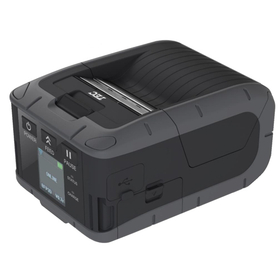
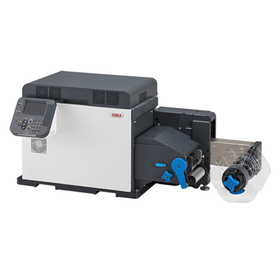
We have compiled a list of manufacturers, distributors, product information, reference prices, and rankings for Printer.
ipros is IPROS GMS IPROS One of the largest technical database sites in Japan that collects information on.

Printer Product List and Ranking from 632 Manufacturers, Suppliers and Companies | IPROS GMS

Last Updated: Aggregation Period:May 06, 2026~Jun 02, 2026
This ranking is based on the number of page views on our site.

Printer Manufacturer, Suppliers and Company Rankings

Last Updated: Aggregation Period:May 06, 2026~Jun 02, 2026
This ranking is based on the number of page views on our site.

  1. 沖電気工業 産業営業本部 産業営業統括室 Tokyo//Information and Communications
  2. null/null
  3. null/null
  4. 4 タック印刷 Tokyo//Printing Industry
  5. 5 システムクリエイト Osaka//Industrial Machinery

Printer Product ranking

Last Updated: Aggregation Period:May 06, 2026~Jun 02, 2026
This ranking is based on the number of page views on our site.

  1. Direct Address Printer DA1500+
  2. Industrial Inkjet Printer MK-G Series
  3. 3D Printer for Manufacturing Sites 'GX-1000 Series'
  4. 4 Raw Material Date Management Label - Small Label Printer 新盛インダストリーズ
  5. 5 Compact 3D printer "G-ZERO" that can be placed on a desk. グーテンベルク

Printer Product List

2761~2790 item / All 2903 items

Displayed results

I want to change the default values for each work.

Tube Printer Online Help: Frequently Asked Questions (Q&A)

Q: Question Can the default values for "work size and standard extreme" in each work be changed to the values I commonly use? A: Answer Yes, it is possible. After selecting the work, choose "Options" from the menu and change the values in the "Default Font" section. If you cannot find the answer, please contact us.

  • Commercial printers
  • Other markings
  • Printer

Added to bookmarks

Bookmarks list

Bookmark has been removed

Bookmarks list

You can't add any more bookmarks

By registering as a member, you can increase the number of bookmarks you can save and organize them with labels.

Free membership registration

I want to know how to change the print head position and how to replace the print head.

Tube Printer Online Help: Frequently Asked Questions (Q&A)

Q: Question How to change the print head position or replace the print head? A: Answer For changing the print head position, please refer to the "Switching Method." For replacing the print head, please refer to the "Replacement Method." *Note: User registration is required to perform the print head position change. If you cannot find the answer, please contact us.

  • Commercial printers
  • Other markings
  • Printer

Added to bookmarks

Bookmarks list

Bookmark has been removed

Bookmarks list

You can't add any more bookmarks

By registering as a member, you can increase the number of bookmarks you can save and organize them with labels.

Free membership registration

I want to know the supported operating systems.

Tube Printer Online Help: Frequently Asked Questions (Q&A)

Q: Question What operating systems are supported for the computer? A: Answer It can be used with Microsoft Windows 10. *Please use it in a constantly updated state. If you cannot find the answer, please contact us.

  • Commercial printers
  • Other markings
  • Printer

Added to bookmarks

Bookmarks list

Bookmark has been removed

Bookmarks list

You can't add any more bookmarks

By registering as a member, you can increase the number of bookmarks you can save and organize them with labels.

Free membership registration

Introduction to the Online Manual: Electric Wiring Printer MP-60N

Introduction: Installation Environment and Usage Precautions

Thank you for purchasing the multi-tube printer "MP-60N." Before using this printer, please be sure to read this instruction manual. This printer can be used with simple operations, but to ensure that your prints are beautiful and safe to use, please read the installation environment section and set it up in a suitable location. Additionally, this instruction manual contains precautions for daily use and methods to prevent troubles, so please keep it safely stored near the installation site even after reading. [Contents] ■ Introduction ■ Function Explanation ■ Product Specifications ■ Names of Parts ■ Various Operation Procedures ■ Error Displays ■ PC Integration ■ Consumables ■ Contact Information *For more details, please feel free to contact us.

  • Commercial printers
  • Other markings
  • Printer

Added to bookmarks

Bookmarks list

Bookmark has been removed

Bookmarks list

You can't add any more bookmarks

By registering as a member, you can increase the number of bookmarks you can save and organize them with labels.

Free membership registration

[Problem-Solving Case] Treatment with good release properties and high wear resistance.

Ceramic plating is a special coating that excels in wear resistance! It improves hardness from around Hv400 to Hv900!

We would like to introduce a case where a sealer used in the sealing section of packaging machinery was required to ensure non-stick properties while also demanding high wear resistance and durability. Although a non-stick PTFE coating was used, its hardness was only around Hv400, which posed durability issues. Therefore, we adopted our "Ceramic Coating." This increased the hardness to Hv900, enhancing wear resistance. Additionally, the non-stick performance was secured by reducing the contact area through the action of fine boron nitride particles. [Key Points for Problem Solving] - Even if the counterpart is a film, the hard fillers contained in that film can wear down the counterpart metal. - PTFE coating is relatively hard at around Hv400, but wear still progresses. - The boron nitride contained in the ceramic coating is extremely hard. - Reducing the contact area also excels in wear resistance. *For more details, please refer to the PDF document or feel free to contact us.

  • Other surface treatment equipment
  • Printer

Added to bookmarks

Bookmarks list

Bookmark has been removed

Bookmarks list

You can't add any more bookmarks

By registering as a member, you can increase the number of bookmarks you can save and organize them with labels.

Free membership registration

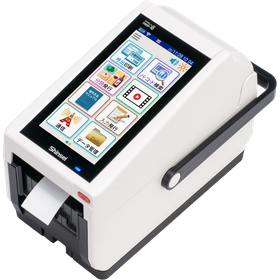
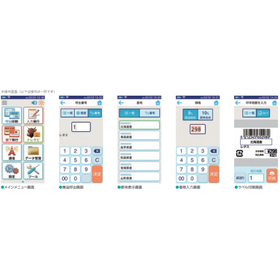
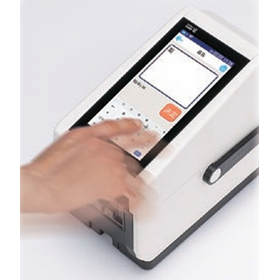
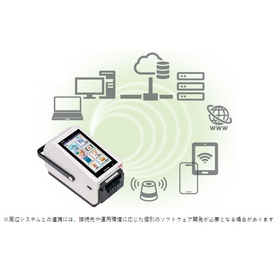
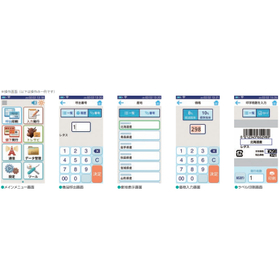
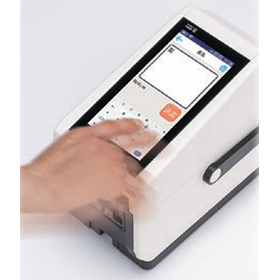
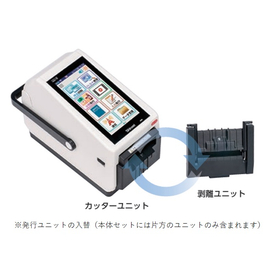
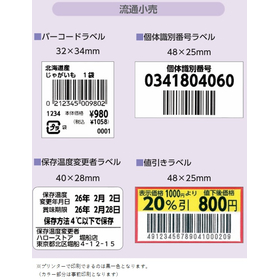
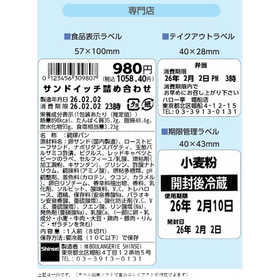
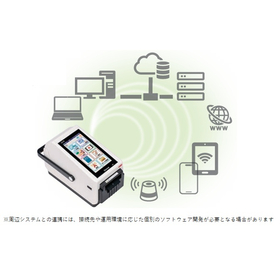
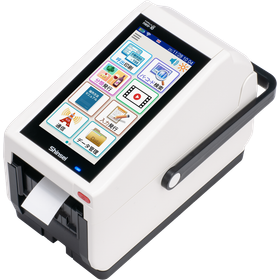
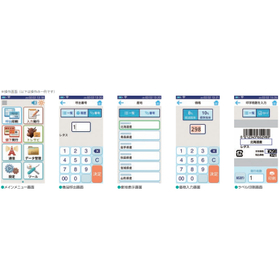
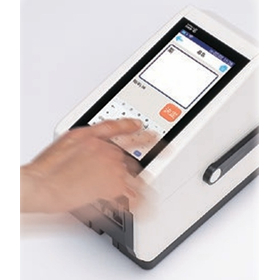
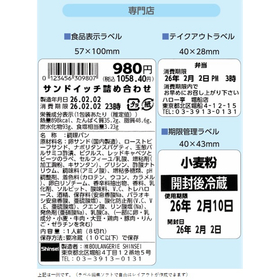
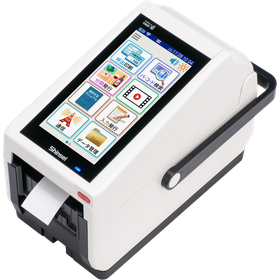
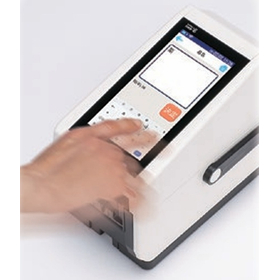
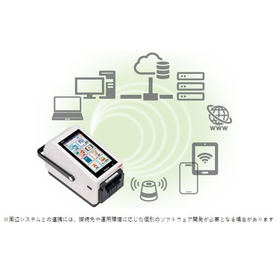
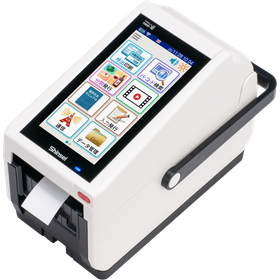
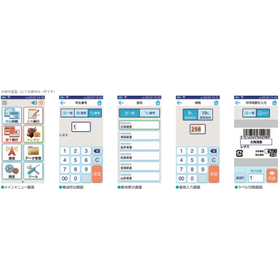
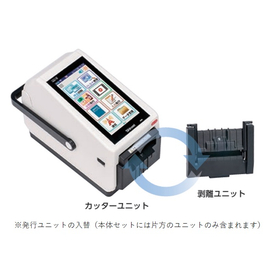
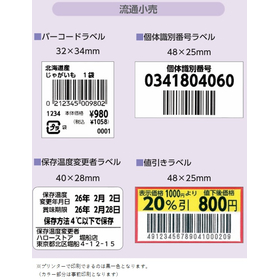
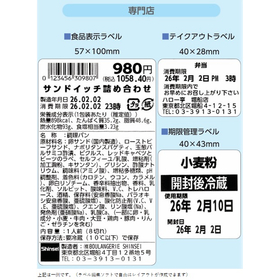
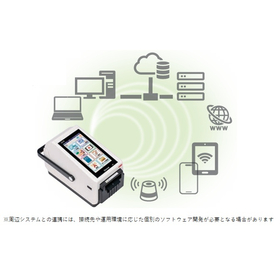
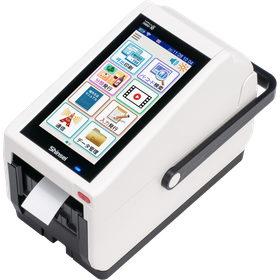
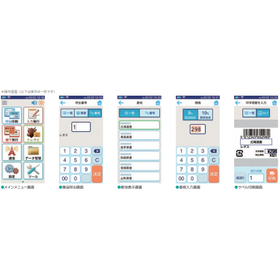
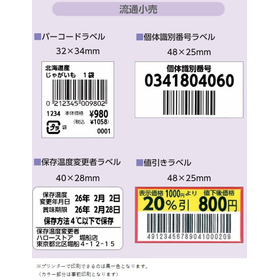
【オリジナルUI】ラベルプリンター『HALLO neo-10』

直感的で誰でも使いやすい画面構成を追求!スタンドアロンの安心感とつながってさらにつよく

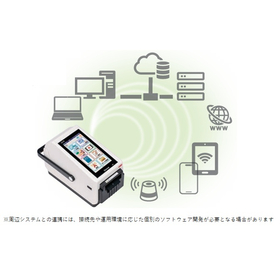
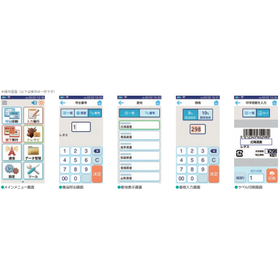
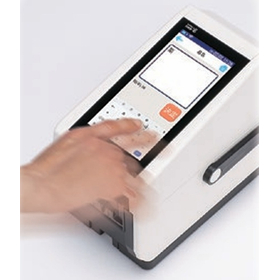
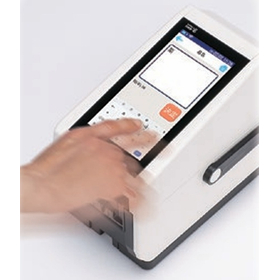
『HALLO neo-10』は、neoシリーズで培った操作性を継承・進化させた ラベルプリンターです。 産業機器特有の難しさを感じさせない、直感的で誰でも使いやすい 画面構成を追求。オリジナルUI「HALLO-UI」の構築で、どなたでも 簡単かつ正確なラベル発行が可能になりました。 スワイプやフリックによる文字入力といったスマホライクな操作が可能で、 操作性の高さと扱いやすさを実現しています。 【オリジナルUIの特長】 ■明るく楽しげでPOPなイメージ ■視認性が高く、清潔感もある ※詳しくはPDFをダウンロードしていただくか、お気軽にお問い合わせください。

Added to bookmarks

Bookmarks list

Bookmark has been removed

Bookmarks list

You can't add any more bookmarks

By registering as a member, you can increase the number of bookmarks you can save and organize them with labels.

Free membership registration

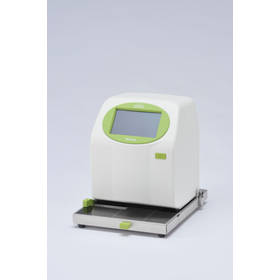
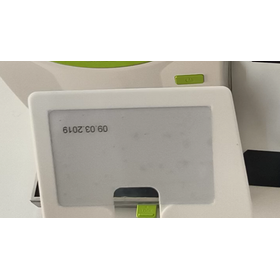
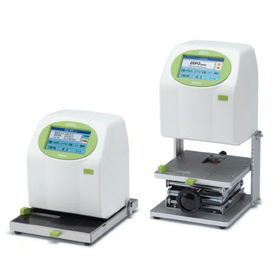
Ideal for card printing - Inkjet Printer DiPO

Just insert it, and it will print in no time.

This is an inkjet printer ideal for printing cards such as membership cards and warranty certificates. <Features> It allows for precise alignment and beautiful printing even for small printed materials like PVC cards and accessory tags, using a dedicated original gauge. Simply set the card in the original gauge and insert it directly into the DiPO main unit. <Automatic Printing with Just Insertion> Just set the card in the original gauge and insert it directly into the DiPO main unit. <Applications> Printing names and membership dates on membership cards, temporarily entering visitor information (printing), and printing prices and product names on price tags. You can save up to 100 printing contents such as dates and serial numbers. You can change the content to be printed and the print density on the screen. 【Features】 ■ Two types of ink tailored to different applications ■ Save up to 100 printing contents ■ Change the content to be printed and the print density on the screen ■ Edit the text and numbers to be printed on the screen ■ Predefined phrases can be listed for intuitive selection ■ Created and edited data can be saved to the main unit via USB memory or Bluetooth communication *For more details, please refer to the PDF document or feel free to contact us.

  • DG-00038.png
  • Inkjet printer
  • Printer
  • Printer

Added to bookmarks

Bookmarks list

Bookmark has been removed

Bookmarks list

You can't add any more bookmarks

By registering as a member, you can increase the number of bookmarks you can save and organize them with labels.

Free membership registration

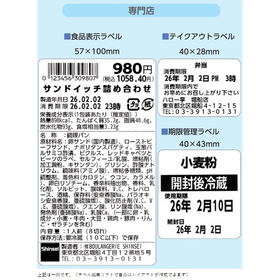
Latest Label Printer for Cafés

Streamlining café operations with next-generation standalone printers.

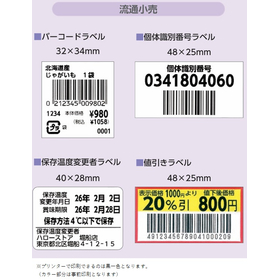
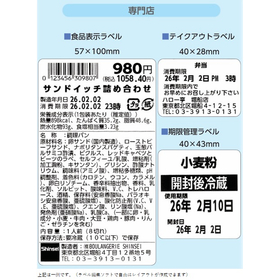
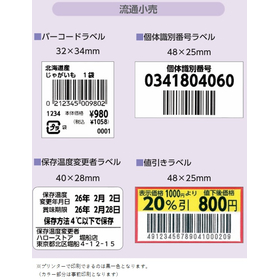
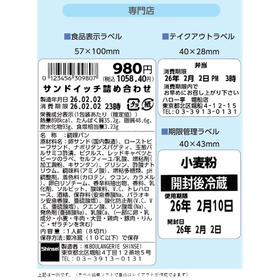
In the café industry, frequent customization of menus and products necessitates the need for quick and accurate label issuance. Particularly, creating labels for limited-time menus and takeout products is crucial for enhancing appeal to customers. Handwritten or manual label creation can be time-consuming and prone to errors. Our latest label printer is equipped with features that meet the needs of cafés and supports operational efficiency. 【Usage Scenarios】 - Creation of menu labels - Label creation for takeout products - Creation of allergy information labels - Issuing labels during price changes - Creation of campaign announcement labels 【Benefits of Implementation】 - Improved operational efficiency through rapid label issuance - Increased customer satisfaction with clear labels - Prevention of issues through accurate information display - Enhanced appeal through support for diverse designs

Added to bookmarks

Bookmarks list

Bookmark has been removed

Bookmarks list

You can't add any more bookmarks

By registering as a member, you can increase the number of bookmarks you can save and organize them with labels.

Free membership registration

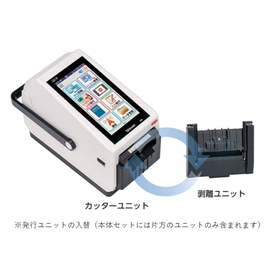
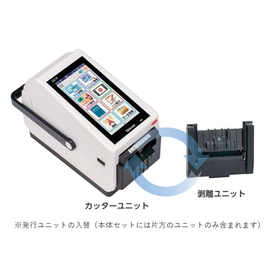
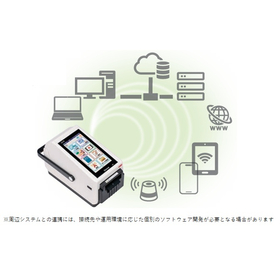
[FOOMA JAPAN 2026 Exhibition] Latest Label Printer

Next-generation standalone printer/multi-functional (supports consumption tax, equipped with voice reading function)

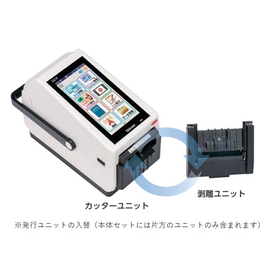
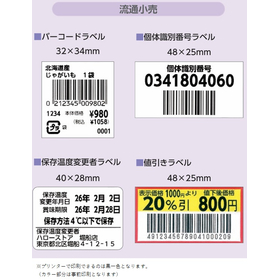
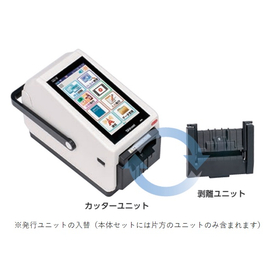
Exhibition Booth: Shinsei Industries Co., Ltd. Exhibition Name: FOOMA JAPAN 2026 Location: Tokyo Big Sight Booth Number: W-1-31-11 (West Hall 1) The functionality and reliability of the neo series, developed over more than 20 years, have evolved into a new form. As a standalone label printer equipped with a general-purpose OS, it offers a wide range of features and enables operations that are closely aligned with the field. 【Main Features】 - Tax compliance (supports 0% tax rate and reduced tax rate) - Voice reading function (can connect to built-in speaker or external Bluetooth speaker) - Universal Design (UD) font included - Equipped with Android as a general-purpose OS - Standard wireless LAN and Bluetooth included - Capable of handling labels with backing paper and linerless labels with one unit (can be attached to the issuing unit) *For more details, please download the PDF or feel free to contact us.

Added to bookmarks

Bookmarks list

Bookmark has been removed

Bookmarks list

You can't add any more bookmarks

By registering as a member, you can increase the number of bookmarks you can save and organize them with labels.

Free membership registration

[FOOMA JAPAN 2026 Exhibition] Inkjet Printer

Basic operations are done by touching the screen! A lineup of models tailored to your needs.

The "DiPO Series" is an inkjet printer that directly prints on various materials in both flat and three-dimensional forms. It can store up to 100 print contents. You can change the content you want to print and the density of the print finish on the screen. In addition, we offer models tailored to various needs, including the flat item type "J165M," as well as the three-dimensional item types "J165S-TG" and "J165U," covering everything from flat to three-dimensional objects. 【Features】 ■ Two types of ink tailored to applications ■ Can store up to 100 print contents ■ Allows changes to the content and print finish density on the screen ■ Enables editing of text and numbers on the screen ■ Fixed phrases can be listed for intuitive selection ■ Created and edited data can be saved to the main unit via USB memory or Bluetooth communication *For more details, please refer to the PDF materials or feel free to contact us.

  • Inkjet printer
  • Printer

Added to bookmarks

Bookmarks list

Bookmark has been removed

Bookmarks list

You can't add any more bookmarks

By registering as a member, you can increase the number of bookmarks you can save and organize them with labels.

Free membership registration

[FOOMA JAPAN 2026 Exhibition] IJ Printer for Canned Food

A simple task of just placing cans on the turntable! An inkjet printer suitable for printing on canned goods.

The task is simply to place canned goods on the turntable! The date, production number, and other information are automatically printed, and the product returns to you. Since staff do not need to leave the area, they can perform other tasks simultaneously. It is compatible with UV ink that excels in heat resistance, alcohol resistance, and long-term storage. 【Features】 A simple task of placing cans on the turntable. Even staff who are not familiar with the process can easily perform the task. Additionally, since other tasks can be done simultaneously while printing, it can be managed with a limited number of staff. 【Diverse Printing】 Dates, production and management numbers, and QR codes are automatically printed. It also supports unique information such as numbering. 【Applications】 Not only does it reduce the printing workload on canned goods, but it also enhances work efficiency with limited staff. 【For customers like these】 - Businesses producing small lots - Businesses wanting to improve work efficiency but lacking manpower - Printing on small lot products for test marketing (not enough quantity to justify a large production line) - Printing on products requiring long-term visibility or heat treatment after printing *For more details, please refer to the PDF document or feel free to contact us.

  • Inkjet printer
  • Metal container
  • Bottle and can filling machine
  • Printer

Added to bookmarks

Bookmarks list

Bookmark has been removed

Bookmarks list

You can't add any more bookmarks

By registering as a member, you can increase the number of bookmarks you can save and organize them with labels.

Free membership registration

Reduce lead time and costs for sand casting with a 3D printer for casting.

There is not much difference between 3D printers for casting and traditional casting methods using basic wooden patterns. Would you like to take the first step in utilizing this together with our company?

A 3D printer for casting is a modeling method that imports 3D data created using CAD and directly shapes sand molds (such as cores and main molds). It is often referred to as a mold 3D printer or core molding machine, and it can shorten the lead time for producing wooden or resin molds needed for complex shapes, as well as for sand preparation and mold assembly before casting. Rather than relying solely on 3D printers, we recommend a hybrid operation that leverages the advantages of existing methods, the benefits of 3D printing, and your company's strengths and weaknesses. **Features of Utilizing 3D Data and 3D Printers:** - It is possible to create casting 3D data by 3D scanning the product shape even without wooden molds. - For complex-shaped cores, many wooden molds are unnecessary, leading to reduced manufacturing lead times, lower management and storage costs, and shortened assembly time and labor for cores. - Since 3D data is output, there is less variation, and the imbalance in cast products is also reduced. - 3D data can be used not only for modeling but also for verifying products against drawings. - 3D data can also be utilized for casting simulations and other applications. Why not try using a 3D printer this year? We will support you from data creation onwards.

  • Other machine tools
  • Printer

Added to bookmarks

Bookmarks list

Bookmark has been removed

Bookmarks list

You can't add any more bookmarks

By registering as a member, you can increase the number of bookmarks you can save and organize them with labels.

Free membership registration

ODM/OEM achievements of water-cooled printers

The thermal head block is cooled with water, allowing for clear printing even with full surface white ink printing! We provide comprehensive support from development, manufacturing, quality assurance, to maintenance.

Our staff consists of experts with over 20 years of experience in various fields, including product planning, mechanics, electronics, software (apps/firmware), quality maintenance, and manufacturing. These specialists work on projects and achieve significant results. ◆ ODM/OEM achievements of "water-cooled printers" By cooling the thermal head block with water, this model can produce clear prints even in cases of full-bleed white printing. The in-house team of experts generates significant benefits by handling development, manufacturing, quality assurance, and maintenance. *For more details, please contact us directly.

  • Contract manufacturing
  • Mechanical Design
  • Embedded system design service
  • Printer

Added to bookmarks

Bookmarks list

Bookmark has been removed

Bookmarks list

You can't add any more bookmarks

By registering as a member, you can increase the number of bookmarks you can save and organize them with labels.

Free membership registration

Industrial 80mm Multi-Interface POS Printer

High cost-performance thermal printer

The 80mm Multi-Interface POS Printer P11-USL uses thermal printing (line thermal) with a resolution of 576 dots/line or 512 dots/line, and character sizes of ANK, Font A: 12×24 dots, Font B: 9×17 dots. Additionally, Kitonareiz offers SINOCAN receipt printers, which have a strong sales record primarily in Europe and the United States. We have a range of products in 58mm and 80mm that offer excellent cost performance, so please consider adopting them. For more details, please contact us or download the catalog.

  • Printer
  • Commercial printers
  • Printer

Added to bookmarks

Bookmarks list

Bookmark has been removed

Bookmarks list

You can't add any more bookmarks

By registering as a member, you can increase the number of bookmarks you can save and organize them with labels.

Free membership registration

Medical 80mm Multi-Interface POS Printer

High-performance cost-effective thermal printer

The 80mm Multi-Interface POS Printer P11-USL uses thermal printing (line thermal) with a resolution of 576 dots/line or 512 dots/line, and character sizes of ANK, Font A: 12×24 dots, Font B: 9×17 dots. Additionally, Kitonareiz offers SINOCAN's receipt printers, which have a strong sales record primarily in Europe and the United States. We have a range of products in 58mm and 80mm that offer excellent cost performance, so please consider adopting them. For more details, please contact us or download the catalog.

  • Commercial printers
  • Printer
  • Printer

Added to bookmarks

Bookmarks list

Bookmark has been removed

Bookmarks list

You can't add any more bookmarks

By registering as a member, you can increase the number of bookmarks you can save and organize them with labels.

Free membership registration

Zebra Industrial Label Printer "Zebra ZT400 Series"

A commercial label printer equipped with the latest features in printing speed, print quality, and connectivity options!

The ZT400 Series incorporates the latest features in printing speed, print quality, and connectivity options, based on proven reliability in the field. Its user-friendly design utilizes an icon-based LCD graphical user interface for intuitive operation, making it easy to load supplies. It also includes standard USB, serial, Ethernet, and Bluetooth capabilities. Enhanced RFID functionality allows for improved tracking and visibility of operations. 【Features】 ■ Equipped with the latest features in printing speed, print quality, and connectivity options ■ Utilizes an icon-based LCD graphical user interface ■ Includes standard USB, serial, Ethernet, and Bluetooth capabilities ■ RFID functionality enables enhanced tracking and visibility of operations *For more details, please request materials or view the PDF data available for download. *For more information, please refer to the PDF materials or feel free to contact us.

  • Commercial printers
  • Printer
  • IC tag
  • Printer

Added to bookmarks

Bookmarks list

Bookmark has been removed

Bookmarks list

You can't add any more bookmarks

By registering as a member, you can increase the number of bookmarks you can save and organize them with labels.

Free membership registration

Metal 3D Printer [AconityTWO]

This is Aconity3D's latest solution for efficient industrial laser powder bed fusion (LPBF) manufacturing and production.

The AconityTWO device is Aconity3D's latest solution for efficient industrial laser powder bed fusion (LPBF) manufacturing and production. With a large build envelope of Ø 400 mm x H 400 mm and an easy-to-open machine cover, it allows for the production of large parts with minimal setup time, thereby reducing manufacturing costs. To maximize flexibility in the types of materials that can be processed and to enhance quality assurance, it can be equipped with optional high-temperature preheating up to 800°C and Aconity3D's entirely new process monitoring system (optional). The AconityTWO can also utilize up to four lasers in a quad-laser configuration, further increasing productivity. Like all Aconity3D devices, the AconityTWO is equipped with the AconitySTUDIO control software, allowing Aconity3D service engineers to remotely access all relevant process parameters and machine components, providing timely support to customers.

Added to bookmarks

Bookmarks list

Bookmark has been removed

Bookmarks list

You can't add any more bookmarks

By registering as a member, you can increase the number of bookmarks you can save and organize them with labels.

Free membership registration

We are currently offering materials that explain the "advantages and disadvantages" of metal 3D printers!

[Currently presenting materials!] In addition to the merits and demerits, we have included the principles of metal 3D printers and our company's initiatives!

Our company has a 3D printer that uses a laser melting method known as the PBF (Powder Bed Fusion) process. The advantages of metal 3D printing include the ability to create complex shapes, improved customization, and optimization of weight and strength. At Yamato Gosei, we are committed to developing technologies that maximize these benefits. We are also offering materials that explain the "advantages and disadvantages of metal 3D printers." Please check the PDF download below. *For more details, please refer to the PDF materials or feel free to contact us.

  • IMG_1992.JPG
  • IMG_1995.JPG
  • IMG_1996.JPG
  • IMG_1997.jpg
  • Other processing machines
  • Printer

Added to bookmarks

Bookmarks list

Bookmark has been removed

Bookmarks list

You can't add any more bookmarks

By registering as a member, you can increase the number of bookmarks you can save and organize them with labels.

Free membership registration

Latest trends and future outlook of 3D printer technology, along with examples of various construction methods and devices.

What is the current state of 3D printers and the future trends in the market?

"Utilizing Lasers for High-Precision Structure Realization: Case Studies of Resin and Business Applications for LS" 3D Printing: The Latest Technical Trends, Forming Fine Structures, etc. ★ What is the current state of 3D printers and future market trends? How are they utilized in business and design? What are the differences among various methods? ★ High-speed layering of resins, metals, and rubber! What is the mechanism? What applications are possible, and what are not? ★ Development examples of resins for creating high-precision structures through laser layering! What direction will future developments take? ★ Pre-event content request service is currently available! We welcome the submission of your practical challenges! 【Venue】 Tokyo Chuo Ward Industrial Hall, 4th Floor, Meeting Room 2【Tokyo, Chuo Ward】 【Date and Time】 September 25, 2013 (Wednesday) 11:00-16:00 【Speakers】 Part 1: 3D Systems Japan, Personal & Professional 3D Printer Division, Business Division Manager Part 2: Osaka Prefectural Industrial Technology Research Institute, Processing and Molding Department, Chief Researcher Part 3: Arkema Inc., Kyoto Technical Center, Director

  • Company:AndTech
  • Price:10,000 yen-100,000 yen
  • Technical Seminar
  • Printer

Added to bookmarks

Bookmarks list

Bookmark has been removed

Bookmarks list

You can't add any more bookmarks

By registering as a member, you can increase the number of bookmarks you can save and organize them with labels.

Free membership registration

Barcode Printer 【SATO Bar Label FI212T】

Issue barcode labels independently! A compact mobile label printer!

The weight of the printer itself is only 1.7 kg!! (excluding AC adapter) Its compact size of 132mm in width, 194mm in depth, and 147mm in height makes it easy to install in narrow spaces♪ With a convenient handle, it's easy to carry! You can issue labels right next to the products you are labeling. Additionally, if you attach the optional battery, you can issue labels even in places without AC power! 【Features】 ○ Very popular in the food industry! Easily issue display labels. ○ Use the standard FI tool (layout creation software) to easily create layouts! ○ A wide variety of label sizes (sold separately) are available! ○ Equipped with a large display with a backlight! ○ Enhanced interfaces for better integration with higher-level systems! *Currently, installation and explanation services are free for Tokyo, Saitama, and Kanagawa Prefectures (excluding remote islands)!! ★ Please feel free to contact us! ★

  • Marking machine
  • Printer

Added to bookmarks

Bookmarks list

Bookmark has been removed

Bookmarks list

You can't add any more bookmarks

By registering as a member, you can increase the number of bookmarks you can save and organize them with labels.

Free membership registration

Heat-resistant up to 300℃, enabling individual management while installed in high-temperature environments. Heat-resistant RFID.

Using metal/PEEK/PPS/PTFE as the base material achieves heat resistance, allowing it to be inserted while installed in high-temperature environments, ensuring reliable solid management.

This is a lineup of UHF band RFID products with a heat resistance storage temperature of 180°C or higher.

  • Special labels, etc.
  • Printer

Added to bookmarks

Bookmarks list

Bookmark has been removed

Bookmarks list

You can't add any more bookmarks

By registering as a member, you can increase the number of bookmarks you can save and organize them with labels.

Free membership registration