We have compiled a list of manufacturers, distributors, product information, reference prices, and rankings for Printer.
ipros is IPROS GMS IPROS One of the largest technical database sites in Japan that collects information on.

Printer Product List and Ranking from 628 Manufacturers, Suppliers and Companies | IPROS GMS

Last Updated: Aggregation Period:Aug 05, 2026~Sep 01, 2026
This ranking is based on the number of page views on our site.

Printer Manufacturer, Suppliers and Company Rankings

Last Updated: Aggregation Period:Aug 05, 2026~Sep 01, 2026
This ranking is based on the number of page views on our site.

  1. null/null
  2. システムクリエイト Osaka//Industrial Machinery
  3. 沖電気工業 産業営業本部 産業営業統括室 Tokyo//Information and Communications
  4. 4 null/null
  5. 5 マックス Tokyo//Other manufacturing

Printer Product ranking

Last Updated: Aggregation Period:Aug 05, 2026~Sep 01, 2026
This ranking is based on the number of page views on our site.

  1. Industrial Inkjet Printer MK-G Series
  2. 3D Printer for Manufacturing Sites 'GX-1000 Series'
  3. Industrial 3D Printer 'G-ZERO MP1' グーテンベルク
  4. 4 Water drainage device Air Wiper [Hewitt's Company] 東邦インターナショナル 本社
  5. 5 I want to print the earth mark. 壬生電機製作所

Printer Product List

2791~2820 item / All 2992 items

Displayed results

I want to know the supported operating systems.

Tube Printer Online Help: Frequently Asked Questions (Q&A)

Q: Question What operating systems are supported for the computer? A: Answer It can be used with Microsoft Windows 10. *Please use it in a constantly updated state. If you cannot find the answer, please contact us.

  • Commercial printers
  • Other markings
  • Printer

Added to bookmarks

Bookmarks list

Bookmark has been removed

Bookmarks list

You can't add any more bookmarks

By registering as a member, you can increase the number of bookmarks you can save and organize them with labels.

Free membership registration

Introduction to the Online Manual: Electric Wiring Printer MP-60N

Introduction: Installation Environment and Usage Precautions

Thank you for purchasing the multi-tube printer "MP-60N." Before using this printer, please be sure to read this instruction manual. This printer can be used with simple operations, but to ensure that your prints are beautiful and safe to use, please read the installation environment section and set it up in a suitable location. Additionally, this instruction manual contains precautions for daily use and methods to prevent troubles, so please keep it safely stored near the installation site even after reading. [Contents] ■ Introduction ■ Function Explanation ■ Product Specifications ■ Names of Parts ■ Various Operation Procedures ■ Error Displays ■ PC Integration ■ Consumables ■ Contact Information *For more details, please feel free to contact us.

  • Commercial printers
  • Other markings
  • Printer

Added to bookmarks

Bookmarks list

Bookmark has been removed

Bookmarks list

You can't add any more bookmarks

By registering as a member, you can increase the number of bookmarks you can save and organize them with labels.

Free membership registration

[Problem-Solving Case] Treatment with good release properties and high wear resistance.

Ceramic plating is a special coating that excels in wear resistance! It improves hardness from around Hv400 to Hv900!

We would like to introduce a case where a sealer used in the sealing section of packaging machinery was required to ensure non-stick properties while also demanding high wear resistance and durability. Although a non-stick PTFE coating was used, its hardness was only around Hv400, which posed durability issues. Therefore, we adopted our "Ceramic Coating." This increased the hardness to Hv900, enhancing wear resistance. Additionally, the non-stick performance was secured by reducing the contact area through the action of fine boron nitride particles. [Key Points for Problem Solving] - Even if the counterpart is a film, the hard fillers contained in that film can wear down the counterpart metal. - PTFE coating is relatively hard at around Hv400, but wear still progresses. - The boron nitride contained in the ceramic coating is extremely hard. - Reducing the contact area also excels in wear resistance. *For more details, please refer to the PDF document or feel free to contact us.

  • Other surface treatment equipment
  • Printer

Added to bookmarks

Bookmarks list

Bookmark has been removed

Bookmarks list

You can't add any more bookmarks

By registering as a member, you can increase the number of bookmarks you can save and organize them with labels.

Free membership registration

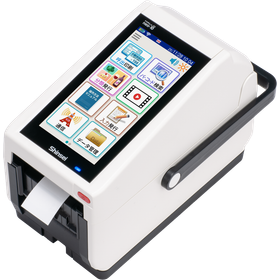
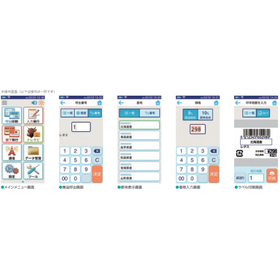
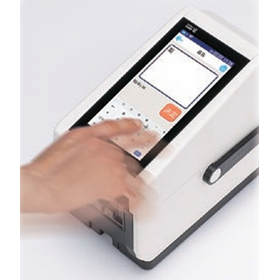
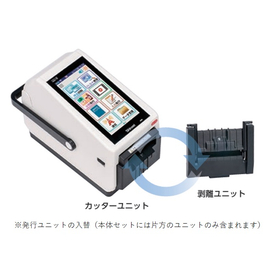
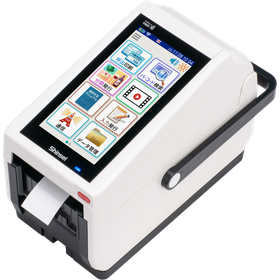
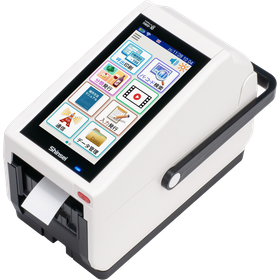
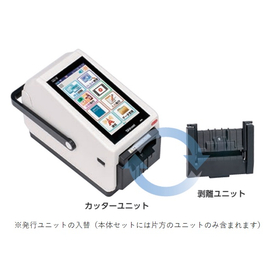
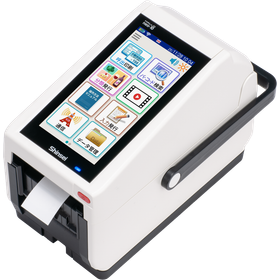
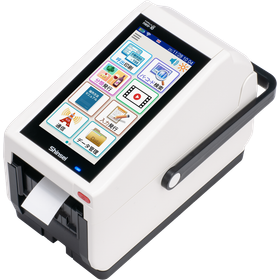
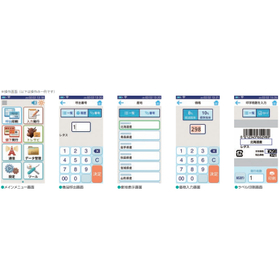
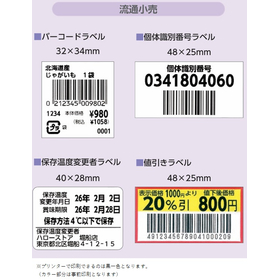
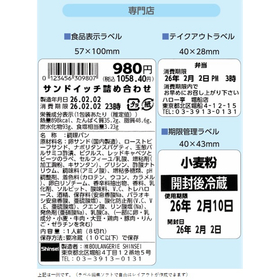
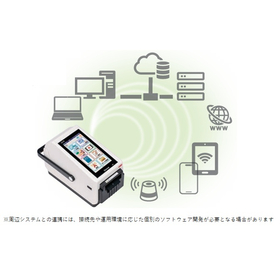
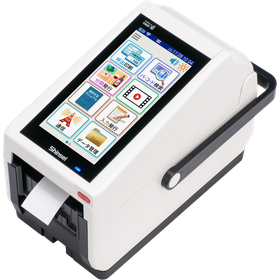
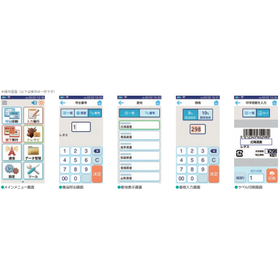
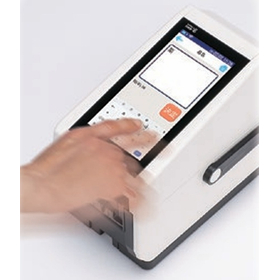
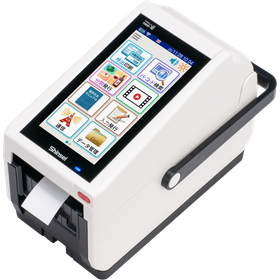
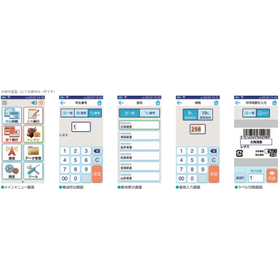
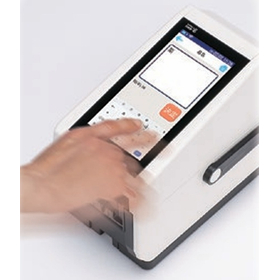
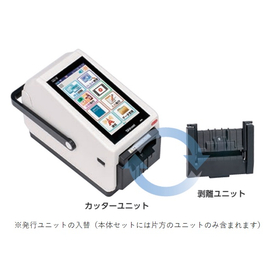
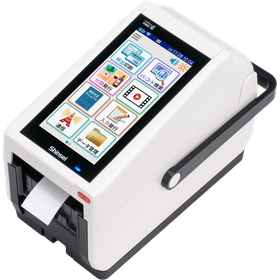
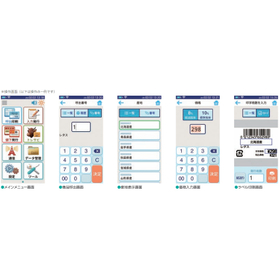
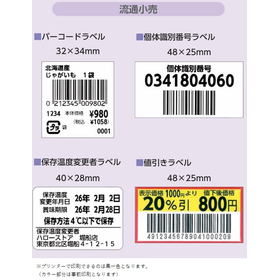
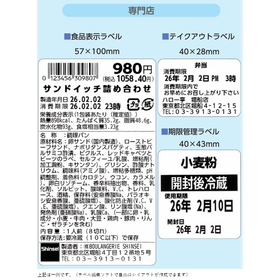
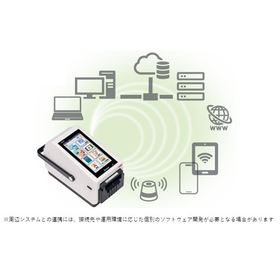
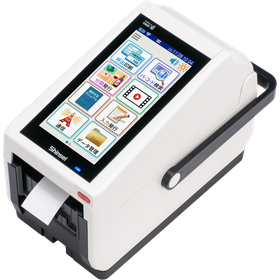
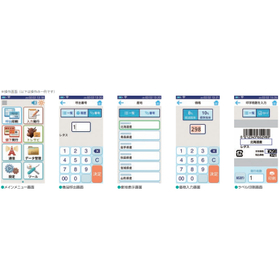
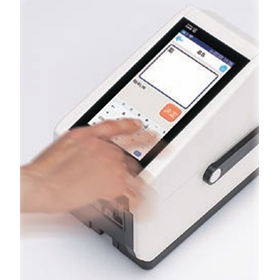
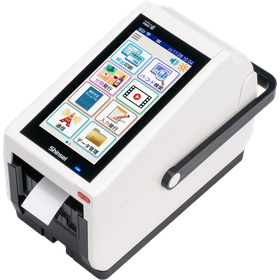
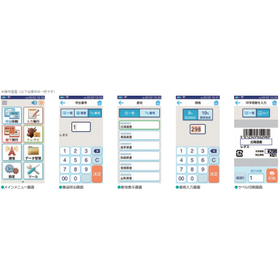
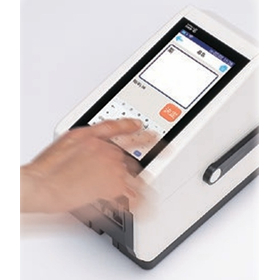
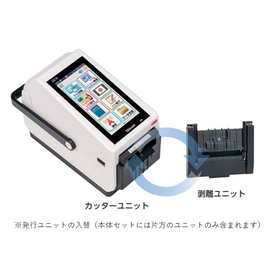
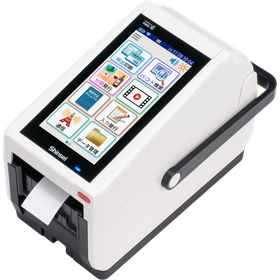
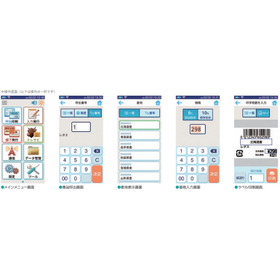
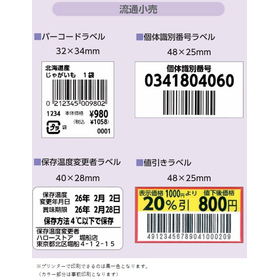
【オリジナルUI】ラベルプリンター『HALLO neo-10』

直感的で誰でも使いやすい画面構成を追求!スタンドアロンの安心感とつながってさらにつよく

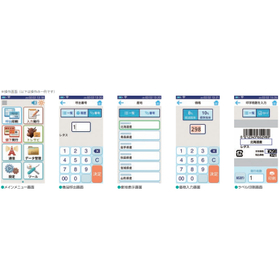
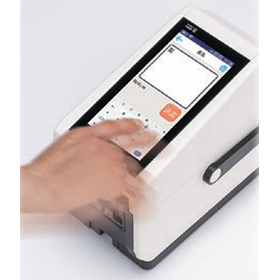
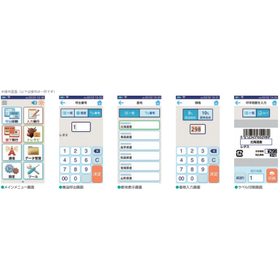
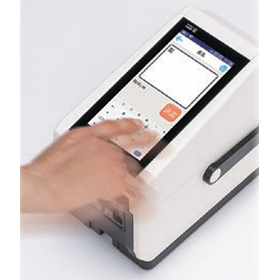
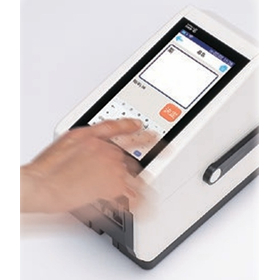
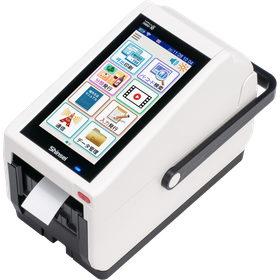
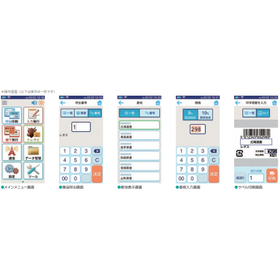
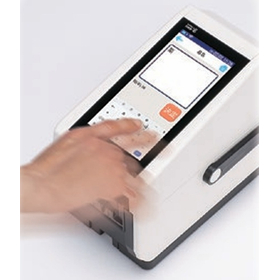
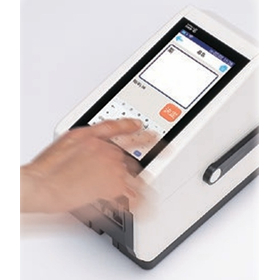
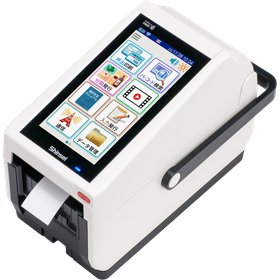
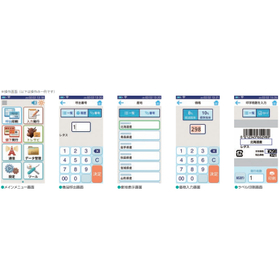
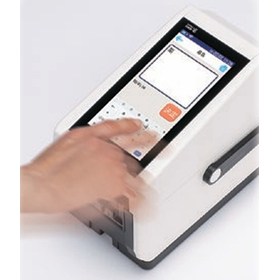
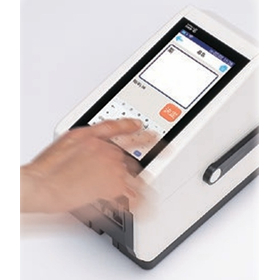
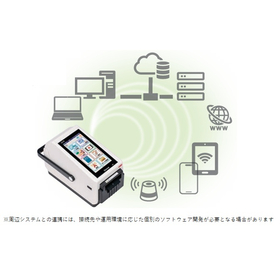
『HALLO neo-10』は、neoシリーズで培った操作性を継承・進化させた ラベルプリンターです。 産業機器特有の難しさを感じさせない、直感的で誰でも使いやすい 画面構成を追求。オリジナルUI「HALLO-UI」の構築で、どなたでも 簡単かつ正確なラベル発行が可能になりました。 スワイプやフリックによる文字入力といったスマホライクな操作が可能で、 操作性の高さと扱いやすさを実現しています。 【オリジナルUIの特長】 ■明るく楽しげでPOPなイメージ ■視認性が高く、清潔感もある ※詳しくはPDFをダウンロードしていただくか、お気軽にお問い合わせください。

Added to bookmarks

Bookmarks list

Bookmark has been removed

Bookmarks list

You can't add any more bookmarks

By registering as a member, you can increase the number of bookmarks you can save and organize them with labels.

Free membership registration

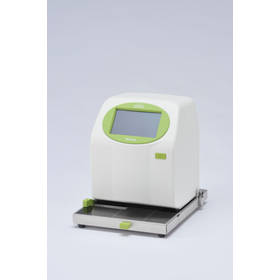
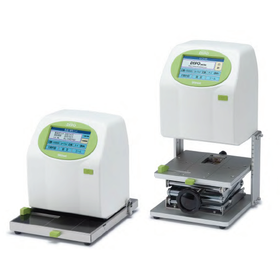
Ideal for card printing - Inkjet Printer DiPO

Just insert it, and it will print in no time.

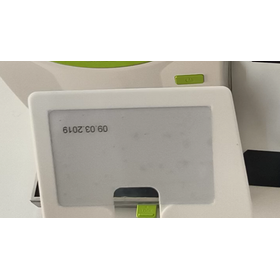
This is an inkjet printer ideal for printing cards such as membership cards and warranty certificates. <Features> It allows for precise alignment and beautiful printing even for small printed materials like PVC cards and accessory tags, using a dedicated original gauge. Simply set the card in the original gauge and insert it directly into the DiPO main unit. <Automatic Printing with Just Insertion> Just set the card in the original gauge and insert it directly into the DiPO main unit. <Applications> Printing names and membership dates on membership cards, temporarily entering visitor information (printing), and printing prices and product names on price tags. You can save up to 100 printing contents such as dates and serial numbers. You can change the content to be printed and the print density on the screen. 【Features】 ■ Two types of ink tailored to different applications ■ Save up to 100 printing contents ■ Change the content to be printed and the print density on the screen ■ Edit the text and numbers to be printed on the screen ■ Predefined phrases can be listed for intuitive selection ■ Created and edited data can be saved to the main unit via USB memory or Bluetooth communication *For more details, please refer to the PDF document or feel free to contact us.

  • DG-00038.png
  • Inkjet printer
  • Printer
  • Printer

Added to bookmarks

Bookmarks list

Bookmark has been removed

Bookmarks list

You can't add any more bookmarks

By registering as a member, you can increase the number of bookmarks you can save and organize them with labels.

Free membership registration

Latest Label Printer for Cafés

Streamlining café operations with next-generation standalone printers.

In the café industry, frequent customization of menus and products necessitates the need for quick and accurate label issuance. Particularly, creating labels for limited-time menus and takeout products is crucial for enhancing appeal to customers. Handwritten or manual label creation can be time-consuming and prone to errors. Our latest label printer is equipped with features that meet the needs of cafés and supports operational efficiency. 【Usage Scenarios】 - Creation of menu labels - Label creation for takeout products - Creation of allergy information labels - Issuing labels during price changes - Creation of campaign announcement labels 【Benefits of Implementation】 - Improved operational efficiency through rapid label issuance - Increased customer satisfaction with clear labels - Prevention of issues through accurate information display - Enhanced appeal through support for diverse designs

Added to bookmarks

Bookmarks list

Bookmark has been removed

Bookmarks list

You can't add any more bookmarks

By registering as a member, you can increase the number of bookmarks you can save and organize them with labels.

Free membership registration

[FOOMA JAPAN 2026 Exhibition] Latest Label Printer

Next-generation standalone printer/multi-functional (supports consumption tax, equipped with voice reading function)

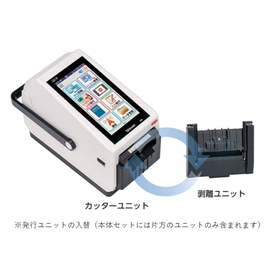
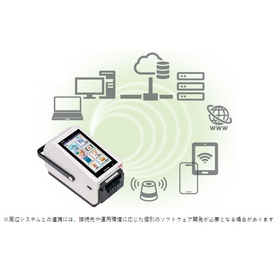
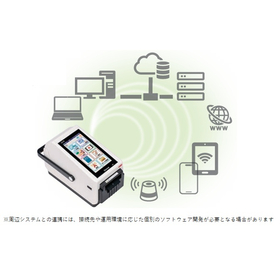
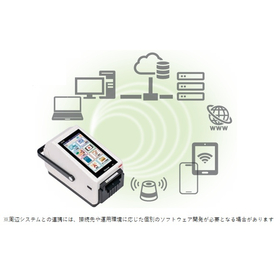
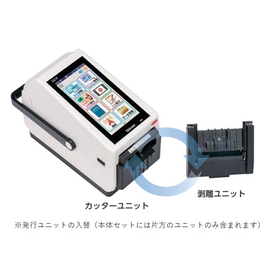
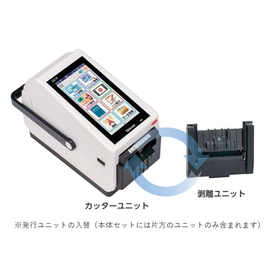
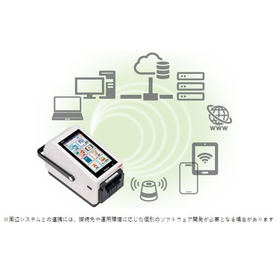
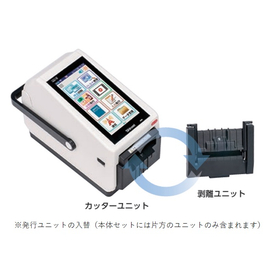
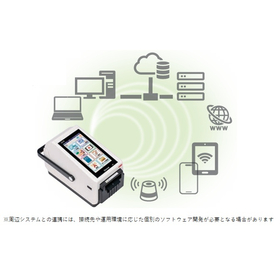
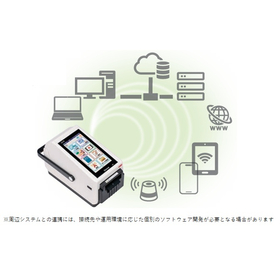
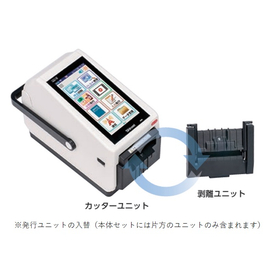
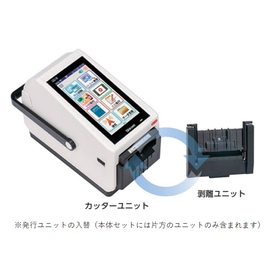
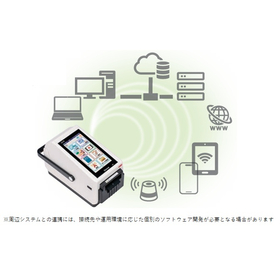
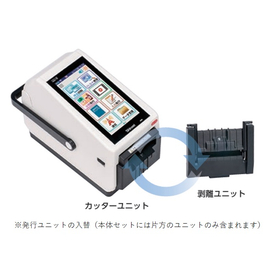
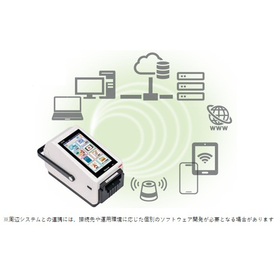
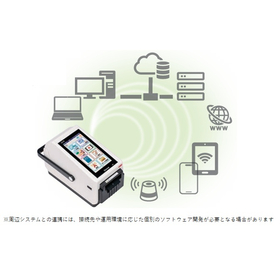
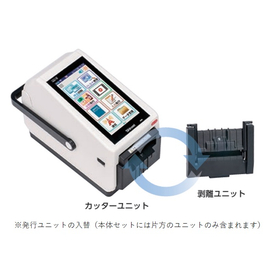
Exhibition Booth: Shinsei Industries Co., Ltd. Exhibition Name: FOOMA JAPAN 2026 Location: Tokyo Big Sight Booth Number: W-1-31-11 (West Hall 1) The functionality and reliability of the neo series, developed over more than 20 years, have evolved into a new form. As a standalone label printer equipped with a general-purpose OS, it offers a wide range of features and enables operations that are closely aligned with the field. 【Main Features】 - Tax compliance (supports 0% tax rate and reduced tax rate) - Voice reading function (can connect to built-in speaker or external Bluetooth speaker) - Universal Design (UD) font included - Equipped with Android as a general-purpose OS - Standard wireless LAN and Bluetooth included - Capable of handling labels with backing paper and linerless labels with one unit (can be attached to the issuing unit) *For more details, please download the PDF or feel free to contact us.

Added to bookmarks

Bookmarks list

Bookmark has been removed

Bookmarks list

You can't add any more bookmarks

By registering as a member, you can increase the number of bookmarks you can save and organize them with labels.

Free membership registration

[FOOMA JAPAN 2026 Exhibition] Inkjet Printer

Basic operations are done by touching the screen! A lineup of models tailored to your needs.

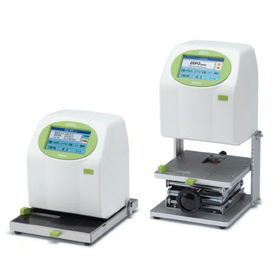
The "DiPO Series" is an inkjet printer that directly prints on various materials in both flat and three-dimensional forms. It can store up to 100 print contents. You can change the content you want to print and the density of the print finish on the screen. In addition, we offer models tailored to various needs, including the flat item type "J165M," as well as the three-dimensional item types "J165S-TG" and "J165U," covering everything from flat to three-dimensional objects. 【Features】 ■ Two types of ink tailored to applications ■ Can store up to 100 print contents ■ Allows changes to the content and print finish density on the screen ■ Enables editing of text and numbers on the screen ■ Fixed phrases can be listed for intuitive selection ■ Created and edited data can be saved to the main unit via USB memory or Bluetooth communication *For more details, please refer to the PDF materials or feel free to contact us.

  • Inkjet printer
  • Printer

Added to bookmarks

Bookmarks list

Bookmark has been removed

Bookmarks list

You can't add any more bookmarks

By registering as a member, you can increase the number of bookmarks you can save and organize them with labels.

Free membership registration

[FOOMA JAPAN 2026 Exhibition] IJ Printer for Canned Food

A simple task of just placing cans on the turntable! An inkjet printer suitable for printing on canned goods.

The task is simply to place canned goods on the turntable! The date, production number, and other information are automatically printed, and the product returns to you. Since staff do not need to leave the area, they can perform other tasks simultaneously. It is compatible with UV ink that excels in heat resistance, alcohol resistance, and long-term storage. 【Features】 A simple task of placing cans on the turntable. Even staff who are not familiar with the process can easily perform the task. Additionally, since other tasks can be done simultaneously while printing, it can be managed with a limited number of staff. 【Diverse Printing】 Dates, production and management numbers, and QR codes are automatically printed. It also supports unique information such as numbering. 【Applications】 Not only does it reduce the printing workload on canned goods, but it also enhances work efficiency with limited staff. 【For customers like these】 - Businesses producing small lots - Businesses wanting to improve work efficiency but lacking manpower - Printing on small lot products for test marketing (not enough quantity to justify a large production line) - Printing on products requiring long-term visibility or heat treatment after printing *For more details, please refer to the PDF document or feel free to contact us.

  • Inkjet printer
  • Metal container
  • Bottle and can filling machine
  • Printer

Added to bookmarks

Bookmarks list

Bookmark has been removed

Bookmarks list

You can't add any more bookmarks

By registering as a member, you can increase the number of bookmarks you can save and organize them with labels.

Free membership registration

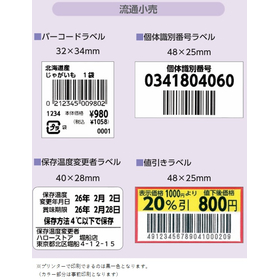
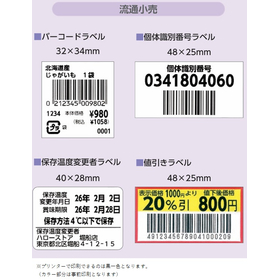
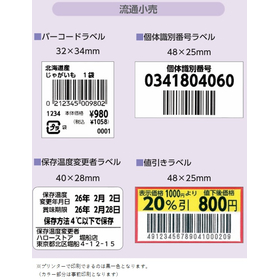
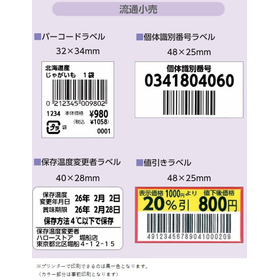
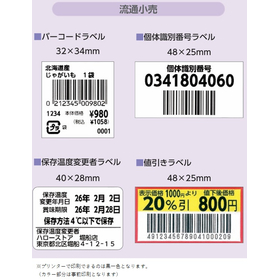
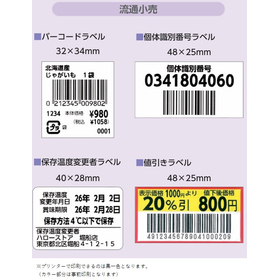
【小売業向け】在庫管理用ラベルプリンター・いつでもどこでも簡単に

在庫管理を効率化する最新ラベルプリンター。簡単な操作でスピーディに大量発行できます!Android搭載

小売業界の在庫管理においては、正確な商品情報の把握と迅速な棚卸しが求められます。特に、多種多様な商品を扱う店舗では、商品ごとの情報を正確に印字し、管理を効率化することが重要です。不十分な在庫管理は、品切れや過剰在庫、それに伴う機会損失につながる可能性があります。本製品は、Android OSを搭載し、無線LANとBluetoothを標準装備しているため、スタンドアロンでの運用や既存システムとの連携が可能です。これにより、在庫管理業務の効率化をサポートします。 【活用シーン】 ・店舗での商品ラベル発行 ・倉庫での在庫棚卸し ・バーコードラベル作成 ・賞味期限ラベル発行 【導入の効果】 ・在庫管理の精度向上 ・棚卸し作業の効率化 ・人的ミスの削減 ・業務コストの削減

Added to bookmarks

Bookmarks list

Bookmark has been removed

Bookmarks list

You can't add any more bookmarks

By registering as a member, you can increase the number of bookmarks you can save and organize them with labels.

Free membership registration

Achieve inventory management and operational efficiency with the new label printer for the manufacturing industry!

Equipped with Android! A standalone label printer that streamlines project management.

In manufacturing process management, rapid and accurate information transmission is essential for precise progress tracking and quality maintenance. In particular, real-time information sharing on the shop floor is crucial for improving production efficiency. Inadequate management can lead to rework and delays, potentially resulting in increased costs. Our new label printer, equipped with Android OS and standard wireless LAN and Bluetooth, supports flexible operations and information collaboration on-site. 【Usage Scenarios】 - Displaying and visualizing progress status at each manufacturing stage - Attaching process management labels to parts and products to enhance on-site work efficiency - Recording work instructions and quality verification information (history management) 【Benefits of Implementation】 - Increased productivity through the visualization of process management - Reduced rework through real-time information sharing - Decreased work errors and maintained quality

Added to bookmarks

Bookmarks list

Bookmark has been removed

Bookmarks list

You can't add any more bookmarks

By registering as a member, you can increase the number of bookmarks you can save and organize them with labels.

Free membership registration

【教育向け】ラベルプリンターで教材管理・簡単・大量発行で効率化!

教材管理を効率化!Android搭載ラベルプリンター。無線LAN&Bluetooth標準搭載!

教育現場では、教材の整理や管理において、迅速かつ正確な情報表示が求められます。特に、多岐にわたる教材の識別や、変更への対応をスムーズに行うことは、教育効果を高める上で重要です。不十分な教材管理は、準備時間の増加や、誤った教材の使用につながる可能性があります。本製品は、Android OSを搭載し、無線LANとBluetoothを標準装備しているため、様々な環境で柔軟に活用でき、教材管理の効率化をサポートします。 【活用シーン】 ・教材の名称、内容、保管場所などのラベル表示 ・実験器具や備品の管理ラベル作成 ・配布資料への識別ラベル貼り付け 【導入の効果】 ・教材の識別が容易になり、準備時間を短縮 ・紛失や誤用のリスクを低減 ・教材情報の更新がスムーズに行える

Added to bookmarks

Bookmarks list

Bookmark has been removed

Bookmarks list

You can't add any more bookmarks

By registering as a member, you can increase the number of bookmarks you can save and organize them with labels.

Free membership registration

【農業向け】野菜・果物の収穫、道の駅や直売所で簡単にラベル発行!

新型ラベルプリンターにより収穫物の識別を効率化。簡単な操作で大量にラベル発行ができます!管理の効率化と、お客様の安心・安全ご提供

農業分野では、収穫物の種類や収穫日、産地などの情報を正確に識別し、管理することが求められます。特に、収穫後の迅速な出荷やトレーサビリティの確保において、分かりやすい表示と確実な情報伝達が重要となります。当社の新型ラベルプリンターは、これらのニーズに応え、現場での作業効率向上に貢献します。 【活用シーン】 ・収穫した農産物のパック詰め時の識別ラベル発行 ・直売所での商品陳列用ラベル発行 ・出荷伝票や納品書への印字 【導入の効果】 ・収穫物の識別精度向上による誤出荷の防止 ・トレーサビリティの確保による安心・安全の提供 ・作業効率の向上によるコスト削減

Added to bookmarks

Bookmarks list

Bookmark has been removed

Bookmarks list

You can't add any more bookmarks

By registering as a member, you can increase the number of bookmarks you can save and organize them with labels.

Free membership registration

【食品業界向け】インクジェットプリンターで簡単印刷!業務用に

基本操作は画面タッチ!食品への直接印刷ニーズに対応。簡単な操作で様々な包材への印字を実現します!スピーディーかつ簡単に導入可能!

食品業界では、製品への賞味期限、製造ロット番号、原材料表示などの印字が、品質管理と消費者への情報提供において重要視されます。特に、直接食品に印字する場合、衛生面への配慮と、印字内容の正確性、視認性が求められます。当社のインクジェットプリンター『DiPOシリーズ』は、様々な食品素材に直接印刷が可能で、これらのニーズに応えます。 【活用シーン】 ・パン、菓子類への賞味期限・製造ロット番号の印字 ・惣菜、弁当への原材料表示・消費期限の印字 ・包装材へのバーコード、ロゴの印字 ・瓶、缶への製造年月日、ロット番号の印字 【導入の効果】 ・印字作業の効率化 ・印字ミスの削減 ・製品のトレーサビリティ向上 ・視認性の高い印字による情報伝達の明確化

  • Inkjet printer
  • Printer

Added to bookmarks

Bookmarks list

Bookmark has been removed

Bookmarks list

You can't add any more bookmarks

By registering as a member, you can increase the number of bookmarks you can save and organize them with labels.

Free membership registration

For apparel: Inkjet printer for tag printing and inventory management!

For design transfer. Basic operations are easy with screen touch. It can be used widely, enabling improved efficiency and high added value for many applications! Implementation is also easy and speedy!

In the apparel industry, it is essential to directly transfer original designs onto materials to enhance the added value of products. In particular, complex designs and meticulous expressions are crucial elements that influence brand image. The reproducibility of designs and the ability to adapt to various materials are indispensable for balancing production efficiency and quality. Our inkjet printer, the 'DiPO Series,' can directly print on a variety of materials, both flat and three-dimensional, meeting the needs for design transfer. 【Usage Scenarios】 - Printing price tags - Direct printing of logos and graphics on clothing - Design transfer onto accessories like bags and hats - Production of original goods - Lot management of inventory 【Benefits of Implementation】 - Increased design freedom - Adaptation to small-batch, diverse production - Promotion of new product development

  • Inkjet printer
  • Printer

Added to bookmarks

Bookmarks list

Bookmark has been removed

Bookmarks list

You can't add any more bookmarks

By registering as a member, you can increase the number of bookmarks you can save and organize them with labels.

Free membership registration

Label printer for inventory management, product display, and stocktaking for home appliance retail stores.

A label printer that streamlines serial management. Quickly issues labels with easy operation. Supports clear product display and inventory management. Easy to install and maintain!

In electronics retail stores, accurate understanding of a wide variety of products and rapid inventory management are required. Especially for products that require individual serial number management, accurate information printing and efficient management are crucial. Inadequate inventory management can lead to stockouts, excess inventory, and the associated opportunity losses. This product is equipped with Android OS and comes standard with wireless LAN and Bluetooth, allowing for standalone operation and integration with existing systems. This supports the efficiency of serial management operations in electronics retail stores. 【Usage Scenarios】 - Issuing product serial labels in stores - Inventory counting in warehouses - Creating barcode labels - Displaying POP (Point of Purchase) materials - Managing repair report information and forms 【Benefits of Implementation】 - Improved accuracy in inventory management - Increased efficiency in inventory counting tasks - Reduction of human errors - Decrease in operational costs

Added to bookmarks

Bookmarks list

Bookmark has been removed

Bookmarks list

You can't add any more bookmarks

By registering as a member, you can increase the number of bookmarks you can save and organize them with labels.

Free membership registration

Label printer for product display and purchase management for recycling shops.

A label printer that streamlines the management of purchased items. Quick issuance with easy operation. Also suitable for products and POP displays! Easy to install and maintain.

In the purchasing operations of a recycling shop, it is essential to accurately record and manage the product information for each item. Particularly when dealing with a wide variety of purchased items, it is important to print and manage detailed information for each product accurately to streamline management. Inadequate management of purchased items can lead to loss of products or delays in providing accurate information to customers. This product is equipped with Android OS and comes standard with wireless LAN and Bluetooth, allowing for standalone operation or integration with existing systems. This supports the efficiency of purchased item management operations. 【Usage Scenarios】 - Creation of barcode labels for purchased items - Issuance of labels for product management - Printing of information during inspection - Display of used goods 【Effects of Implementation】 - Improved accuracy of purchased item management - Increased efficiency in inspection and management tasks - Reduction of human errors - Decrease in operational costs

Added to bookmarks

Bookmarks list

Bookmark has been removed

Bookmarks list

You can't add any more bookmarks

By registering as a member, you can increase the number of bookmarks you can save and organize them with labels.

Free membership registration

Label printer for product display, inventory management, and variety identification for florists.

Accurate variety identification. Simplifying and speeding up product display and inventory management for florists. Easy to implement and maintain, and can be used for a long time!

In the operation of a flower shop, the identification of a wide variety of species and accurate information management are required. In particular, fresh flowers require careful management of freshness, making it important to accurately print information for each species and streamline management. Insufficient species identification can lead to the provision of incorrect information to customers and complicate inventory management. This product is equipped with Android OS and comes standard with wireless LAN and Bluetooth, allowing for standalone operation or integration with existing systems. This supports the efficiency of inventory management tasks, including species identification in flower shops. 【Usage Scenarios】 - Issuing species labels in-store - Identifying species upon arrival - Creating barcode labels - Issuing care information labels 【Benefits of Implementation】 - Improved accuracy of species identification - Streamlined inventory management tasks - Reduction of human errors - Reduction of operational costs

Added to bookmarks

Bookmarks list

Bookmark has been removed

Bookmarks list

You can't add any more bookmarks

By registering as a member, you can increase the number of bookmarks you can save and organize them with labels.

Free membership registration

Label printer for design/power display and inventory management for eyewear stores.

A label printer that streamlines prescription management for eyewear stores. Enables customer management and cost reduction! Easy to install and maintain, allowing for long-term use!

In an eyewear store, it is essential to accurately manage each customer's prescription and lens information. Particularly when dealing with a large inventory and customer data, precise printing of information and swift management are crucial. Inadequate prescription management can lead to decreased customer satisfaction and the associated hassle of redoing orders. This product is equipped with Android OS and comes standard with Wi-Fi and Bluetooth, allowing for standalone operation or integration with existing systems. This supports the efficiency of prescription management tasks in eyewear stores. 【Usage Scenarios】 - Issuing prescription labels for glasses - Lens inventory management - Creating barcode labels for customer records 【Benefits of Implementation】 - Improved accuracy in prescription management - Increased efficiency in inventory management tasks - Reduction of human errors - Decrease in operational costs

Added to bookmarks

Bookmarks list

Bookmark has been removed

Bookmarks list

You can't add any more bookmarks

By registering as a member, you can increase the number of bookmarks you can save and organize them with labels.

Free membership registration

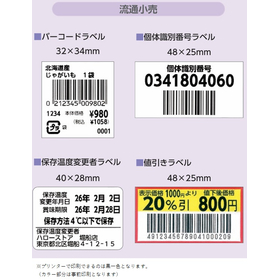
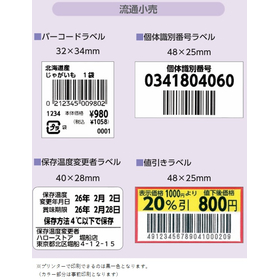
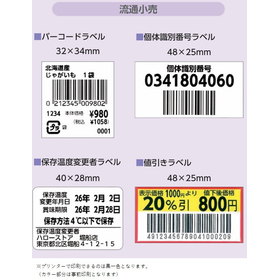
Easy food labeling and discount display with the latest label printer for delicatessens!

Perfect for discount displays at deli shops! Easy management with an Android-equipped label printer. We support increasing your deli sales! Installation and maintenance are also simple.

In a deli, appropriate discount displays are required to maintain product freshness while offering attractive prices to customers. Particularly when discount rates fluctuate based on daily sales and ingredient conditions, quick and accurate displays become crucial. Inappropriate displays can lead to customer misunderstandings and potential loss of sales opportunities. Our new label printer, equipped with Android OS and standard wireless LAN and Bluetooth, allows for easy standalone operation and integration with existing systems. This enables the streamlining of discount displays and improves accuracy. 【Usage Scenarios】 - Price display during discounted sales of deli items - Issuing discount stickers just before closing - Discount displays for takeout products 【Benefits of Implementation】 - Increased efficiency in discount display tasks - Improved customer satisfaction by reducing display errors - Mitigation of lost sales opportunities

Added to bookmarks

Bookmarks list

Bookmark has been removed

Bookmarks list

You can't add any more bookmarks

By registering as a member, you can increase the number of bookmarks you can save and organize them with labels.

Free membership registration

[For Packaging] Inkjet Printer - Added Value with Logo Display ◎

Basic operation is screen touch! Direct printing with models tailored to your needs. Support for enhancing the added value of your brand with logo display! Easy installation and maintenance.

In the packaging industry, it is essential to display product information and lot numbers accurately and efficiently. In particular, clear and durable printing on diverse materials and shapes of packaging is crucial for enhancing product identification and traceability. Blurry printing or peeling can lead to miscommunication of information and quality control issues. Our inkjet printer, the 'DiPO Series,' allows for direct printing on packaging, eliminating the hassle of labeling and making it easy to change printed content. 【Usage Scenarios】 - Direct printing of manufacturing dates, lot numbers, and barcodes on various packages - Printing of expiration dates and best-before dates - Printing of designs and logos 【Benefits of Implementation】 - Cost reduction by reducing the labeling process - Easy changes to printed content, accommodating small-batch production of various types - Improved quality control through clear and legible printing - Capability for direct printing on various materials

  • Inkjet printer
  • Printer

Added to bookmarks

Bookmarks list

Bookmark has been removed

Bookmarks list

You can't add any more bookmarks

By registering as a member, you can increase the number of bookmarks you can save and organize them with labels.

Free membership registration

Efficient management of exhibits with a label printer for museums - easy issuance!

Streamline display item management! Android-equipped label printer. Standard equipped with Wi-Fi and Bluetooth! Easy to install and maintain.

In museums, the accurate display and management of information about exhibits is crucial for providing information to visitors and preserving materials. In particular, the identification of a wide range of exhibits and the ability to respond quickly to changes in exhibition content are essential for smooth operations. Inadequate management of exhibits can lead to delays in information transmission and the provision of incorrect information. This product, equipped with Android OS and standard wireless LAN and Bluetooth, can be flexibly utilized in various environments and supports the efficiency of exhibit management. 【Usage Scenarios】 - Label display of exhibit names, descriptions, acquisition years, etc. - Creation of management labels for collections and equipment - Affixing identification labels to exhibits 【Benefits of Implementation】 - Easier identification of exhibits, reducing management work time - Reduced risk of loss or misuse - Smooth updating of exhibit information

Added to bookmarks

Bookmarks list

Bookmark has been removed

Bookmarks list

You can't add any more bookmarks

By registering as a member, you can increase the number of bookmarks you can save and organize them with labels.

Free membership registration

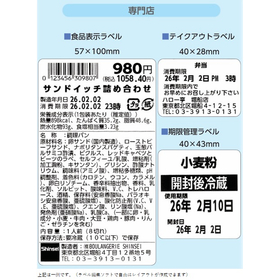
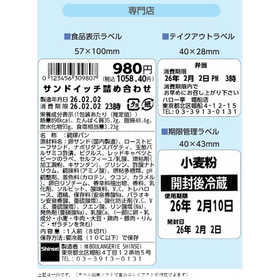
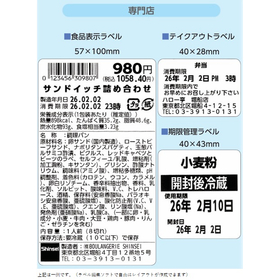
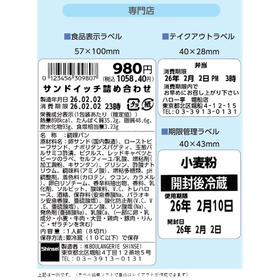
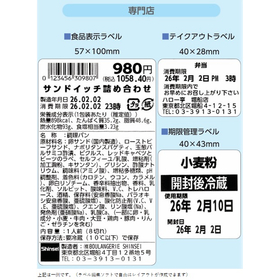
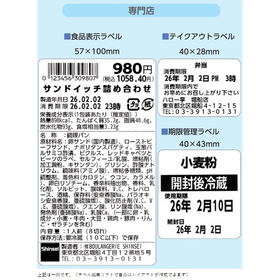
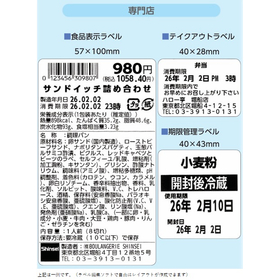
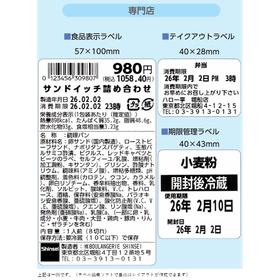
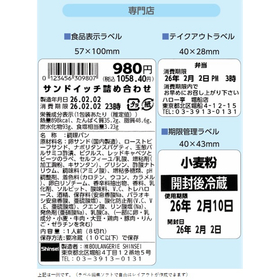
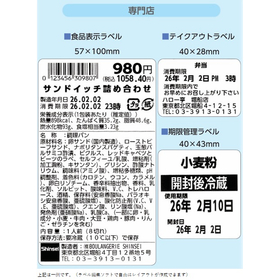
Easily display expiration dates with the latest label printer for bakeries!

Ideal for bakery expiration date labeling! Easy management with an Android-equipped label printer. Simple to install and maintain! Excellent cost performance.

In bakeries, appropriate expiration date labeling is required to maintain product freshness while providing customers with peace of mind. Particularly when expiration dates fluctuate based on daily production conditions and ingredient status, quick and accurate labeling becomes crucial. Inappropriate labeling can lead to customer misunderstandings and a decline in trust. Our new label printer, equipped with Android OS and standard wireless LAN and Bluetooth, allows for easy standalone operation and integration with existing systems. This enables improved efficiency and accuracy in expiration date labeling. 【Usage Scenarios】 - Expiration date labeling for freshly baked bread - Expiration date labeling for sweet and savory breads - Expiration date labeling for takeout products 【Benefits of Implementation】 - Increased efficiency in expiration date labeling tasks - Improved customer satisfaction through reduced labeling errors - Enhanced reliability

Added to bookmarks

Bookmarks list

Bookmark has been removed

Bookmarks list

You can't add any more bookmarks

By registering as a member, you can increase the number of bookmarks you can save and organize them with labels.

Free membership registration

【For Libraries】Streamline Rare Book Management and Easy Issuance with Label Printers!

Streamline precious book management! Android-equipped label printer. Standard wireless LAN & Bluetooth included! Easy to install and maintain!

In libraries, accurate information display and management of rare books are important for providing information to visitors and preserving materials. In particular, the identification of a wide range of rare books and the ability to respond quickly to changes in exhibition content are essential for smooth operations. Inadequate management of rare books can lead to delays in information transmission and the provision of incorrect information. This product, equipped with Android OS and standard wireless LAN and Bluetooth, can be flexibly utilized in various environments, supporting the efficiency of rare book management. 【Usage Scenarios】 - Label display of rare book titles, descriptions, and acquisition years - Creation of management labels for collections and equipment - Affixing identification labels to exhibits 【Benefits of Implementation】 - Easier identification of rare books, reducing management work time - Reduced risk of loss or misuse - Smooth updates of rare book information

Added to bookmarks

Bookmarks list

Bookmark has been removed

Bookmarks list

You can't add any more bookmarks

By registering as a member, you can increase the number of bookmarks you can save and organize them with labels.

Free membership registration

Exhibit management and easy issuance with a cultural property label printer for temples and shrines!

Streamline cultural asset management! Android-equipped label printer. Standard wireless LAN & Bluetooth! Easy to install and maintain!

In temples and shrines, accurate information display and management of cultural properties are important for promoting understanding among visitors and preserving materials. In particular, the ability to identify a wide range of cultural properties and respond quickly to changes in exhibition content is essential for smooth operations. Inadequate management of cultural properties can lead to delays in information transmission and the provision of incorrect information. This product, equipped with Android OS and standard wireless LAN and Bluetooth, can be flexibly utilized in various environments, supporting the efficiency of cultural property management. 【Usage Scenarios】 - Label display for cultural property names, explanations, and acquisition years - Creation of management labels for collections and equipment - Affixing identification labels to exhibits 【Benefits of Implementation】 - Easier identification of cultural properties, reducing management work time - Decreased risk of loss or misuse - Smooth updates of cultural property information

Added to bookmarks

Bookmarks list

Bookmark has been removed

Bookmarks list

You can't add any more bookmarks

By registering as a member, you can increase the number of bookmarks you can save and organize them with labels.

Free membership registration

Inkjet printer capable of printing on various parts for the manufacturing industry.

Easily and quickly print on various materials with the original gauge. Recommended for parts and inventory management! Easy to introduce and maintain. Great cost performance!

In the manufacturing industry, accurate information display is required for part identification and ensuring traceability. In particular, printing on materials such as wooden tags, wooden parts, and metal components, which are difficult to print with standard printers, poses significant challenges for improving work efficiency and stabilizing quality. Products that previously relied on handwritten labels or were abandoned for printing can now expect enhanced efficiency and quality stability thanks to our technology. If you are struggling with specialized equipment or complex processes, please consult us first. 【Usage Scenarios】 - Printing part numbers and lot numbers on components of varying shapes and thicknesses - Printing names or logos - Printing when height adjustments are necessary to match the product - Accurate positioning using original gauges (specialized jigs) 【Benefits of Implementation】 - Increased efficiency by eliminating handwritten tasks - Reduction of errors through stabilized printing quality - Improved traceability - Enhanced added value to products

  • Commercial printers
  • Printer
  • Inkjet printer
  • Printer

Added to bookmarks

Bookmarks list

Bookmark has been removed

Bookmarks list

You can't add any more bookmarks

By registering as a member, you can increase the number of bookmarks you can save and organize them with labels.

Free membership registration

Mitarepo [44] How much high temperature can powdered nylon 11 withstand?

I tested how much high temperature the nylon 11 of the powder sintering 3D printer "Fuse1" can withstand!

"Mitarepo" is a series that introduces what can be done using various products with the concept of "I tried doing this!" From the wide range of product categories handled by System Create, we deliver useful information each time. The theme of Vol. 44 is "How much heat can Nylon 11 from a powder sintering 3D printer withstand?" In the materials, we will create three types of test pieces with different thicknesses using the powder material "Nylon 11" from the powder sintering 3D printer "Fuse 1," and heat them at a constant temperature for a certain period to determine at what temperature they become soft. We will also verify whether deformation occurs when bending them. "Will they deform with just a little heat?" "It's hard to understand the actual heat resistance just by looking at the material properties table!" We will explain points of concern and verification processes related to using 3D printers, along with comments from the technical staff. *You can download the materials from the button above.

  • 3D Printer
  • Resin processing machine
  • plastic
  • Printer

Added to bookmarks

Bookmarks list

Bookmark has been removed

Bookmarks list

You can't add any more bookmarks

By registering as a member, you can increase the number of bookmarks you can save and organize them with labels.

Free membership registration

Reduce lead time and costs for sand casting with a 3D printer for casting.

There is not much difference between 3D printers for casting and traditional casting methods using basic wooden patterns. Would you like to take the first step in utilizing this together with our company?

A 3D printer for casting is a modeling method that imports 3D data created using CAD and directly shapes sand molds (such as cores and main molds). It is often referred to as a mold 3D printer or core molding machine, and it can shorten the lead time for producing wooden or resin molds needed for complex shapes, as well as for sand preparation and mold assembly before casting. Rather than relying solely on 3D printers, we recommend a hybrid operation that leverages the advantages of existing methods, the benefits of 3D printing, and your company's strengths and weaknesses. **Features of Utilizing 3D Data and 3D Printers:** - It is possible to create casting 3D data by 3D scanning the product shape even without wooden molds. - For complex-shaped cores, many wooden molds are unnecessary, leading to reduced manufacturing lead times, lower management and storage costs, and shortened assembly time and labor for cores. - Since 3D data is output, there is less variation, and the imbalance in cast products is also reduced. - 3D data can be used not only for modeling but also for verifying products against drawings. - 3D data can also be utilized for casting simulations and other applications. Why not try using a 3D printer this year? We will support you from data creation onwards.

  • Other machine tools
  • Printer

Added to bookmarks

Bookmarks list

Bookmark has been removed

Bookmarks list

You can't add any more bookmarks

By registering as a member, you can increase the number of bookmarks you can save and organize them with labels.

Free membership registration

ODM/OEM achievements of water-cooled printers

The thermal head block is cooled with water, allowing for clear printing even with full surface white ink printing! We provide comprehensive support from development, manufacturing, quality assurance, to maintenance.

Our staff consists of experts with over 20 years of experience in various fields, including product planning, mechanics, electronics, software (apps/firmware), quality maintenance, and manufacturing. These specialists work on projects and achieve significant results. ◆ ODM/OEM achievements of "water-cooled printers" By cooling the thermal head block with water, this model can produce clear prints even in cases of full-bleed white printing. The in-house team of experts generates significant benefits by handling development, manufacturing, quality assurance, and maintenance. *For more details, please contact us directly.

  • Contract manufacturing
  • Mechanical Design
  • Embedded system design service
  • Printer

Added to bookmarks

Bookmarks list

Bookmark has been removed

Bookmarks list

You can't add any more bookmarks

By registering as a member, you can increase the number of bookmarks you can save and organize them with labels.

Free membership registration