We have compiled a list of manufacturers, distributors, product information, reference prices, and rankings for soft.
ipros is IPROS GMS IPROS One of the largest technical database sites in Japan that collects information on.

soft Product List and Ranking from 2389 Manufacturers, Suppliers and Companies | IPROS GMS

Last Updated: Aggregation Period:Jan 21, 2026~Feb 17, 2026
This ranking is based on the number of page views on our site.

soft Manufacturer, Suppliers and Company Rankings

Last Updated: Aggregation Period:Jan 21, 2026~Feb 17, 2026
This ranking is based on the number of page views on our site.

  1. システムクリエイト Osaka//Industrial Machinery
  2. スカイロジック Shizuoka//software
  3. アルゴジャパン・イーエス Nagano//Information and Communications
  4. 4 B7 Tokyo//software
  5. 5 ウェーブフロント 本社 Kanagawa//software

soft Product ranking

Last Updated: Aggregation Period:Jan 21, 2026~Feb 17, 2026
This ranking is based on the number of page views on our site.

  1. Label software for Tepra PRO 'Tepra Creator (SPC10)' キングジム
  2. End-of-Year Limited SOLIDWORKS Permanent License Purchase Benefit Campaign アルゴジャパン・イーエス
  3. [Must-See for Manufacturing Industry] Protecting Drawings and Processing Data. Instantly Neutralizing Ransomware Damage. アメイジング・テクノロジー 千代田区大手町
  4. 4 Multivariate analysis software 'Proficy CSense 2024' GEベルノバ・ソフトウェア・ジャパン
  5. 5 I tried making a 3D printed jig from the drawing! システムクリエイト

soft Product List

61~90 item / All 10601 items

Displayed results

[Case Study] Plastic Mold Manufacturer

Achieve 3D mold design with mold design and improve efficiency by 20%!

We would like to introduce a case study of the implementation of "CIMATRON" at a plastic mold manufacturer. The company was using the predecessor system "φSTATION," but as the demand for 3D shapes increased, the need for 3D mold design arose. They also had some aspects of the current system that they liked, which made the transition challenging. After the implementation, they were able to perform mold design within three months, and overall efficiency, including electrode design, improved by an average of 20%. 【Case Overview】 ■Challenges - Recognized the necessity for 3D mold design due to changes in work ■Support and Implementation Effects - Mastered operations in almost three months, enabling mold design - The flow of mold design changed, achieving an average efficiency increase of 20% *For more details, please refer to the PDF document or feel free to contact us.

Added to bookmarks

Bookmarks list

Bookmark has been removed

Bookmarks list

You can't add any more bookmarks

By registering as a member, you can increase the number of bookmarks you can save and organize them with labels.

Free membership registration

[Data] Does 3D modeling of mold design really lead to a reduction in construction time?

Utilizing CAD/CAM based on successful case studies from both domestic and international sources! We will also introduce key points to maximize the effects of 3D modeling.

This document explains the key points for achieving shortened construction periods with the theme of "3D Mold Design." We introduce specific methods to leverage the effects of 3D design from three perspectives: "unification of design and manufacturing systems," "utilization of specialized functions," and "streamlining of process flows," along with actual case studies. This content is recommended for those looking to gain insights into the challenges of 3D mold design and tips for achieving shorter construction periods. [Contents (partial)] ■ Top 3 issues and factors in 3D mold design ■ Case studies that significantly improved mold manufacturing efficiency ■ Key points to maximize the effects of 3D design ■ Unification of design and manufacturing systems ■ Utilization of specialized functions *For more details, please download the PDF or feel free to contact us.

  • 3D CAM
  • 3D CAD
  • Mold Design
  • soft

Added to bookmarks

Bookmarks list

Bookmark has been removed

Bookmarks list

You can't add any more bookmarks

By registering as a member, you can increase the number of bookmarks you can save and organize them with labels.

Free membership registration

GO2cam Implementation Case Studies

Significantly reduced program creation time! Four case studies of successful efficiency improvements in training new employees.

This document summarizes the success stories of four companies that have implemented the CAD/CAM software "GO2cam." We specifically introduce how companies that were struggling with long programming times for machining processes or faced challenges in training young employees have resolved these issues through the adoption of "GO2cam." We hope this serves as a helpful hint for solving challenges such as improving efficiency in the processing site and developing human resources within your company. [Featured Cases] ■ Haruki Metal Industry Co., Ltd. ■ Itoh Hagane Co., Ltd. ■ Hope Engineering Co., Ltd. ■ Iida Co., Ltd. *For more details, please download the PDF or feel free to contact us.

  • 3D CAM
  • 3D CAD
  • 2D CAM
  • soft

Added to bookmarks

Bookmarks list

Bookmark has been removed

Bookmarks list

You can't add any more bookmarks

By registering as a member, you can increase the number of bookmarks you can save and organize them with labels.

Free membership registration

CAD/CAM software 'GO2cam' <Deburring Option>

In machining, deburring is possible! It reduces manual deburring work and allows for automation.

Introducing the CAD/CAM software 'GO2cam' option "Deburring." When you select the machining surface, edges are automatically extracted, and paths are created. By setting a safety distance, interference is automatically checked, resulting in paths that do not cause interference. In the case of a 5-axis machining machine, deburring can be performed while rotating the workpiece. The deburring option is available for both 3-axis and 5-axis. 【Features】 ■ Automatic edge extraction from solids ■ Interference checks are performed automatically ■ Deburring is also possible on 5-axis *For more details, please download the PDF or feel free to contact us.

  • バリ取り2.png
  • バリ取り3.png
  • バリ取り4.png
  • 3D CAM
  • 3D CAD
  • Other CAM related software
  • soft

Added to bookmarks

Bookmarks list

Bookmark has been removed

Bookmarks list

You can't add any more bookmarks

By registering as a member, you can increase the number of bookmarks you can save and organize them with labels.

Free membership registration

Relationship between Processing Path Interval and Scallop: Curved Surface Edition

For those who are confused about setting the pitch between passes in CAM! An explanation of CAM settings and the size of the scallop.

In the manufacturing of plastic molds, press molds, forging molds, and casting molds, we will introduce the relationship between the surface roughness of the machining when using 3D CAM and the pitch of the machining path. We hope this will be somewhat helpful. The content we are about to explain is aimed at those who fall into the following categories. Please take a look. 【Recommended for】 ■ Those who want to confirm the relationship between the size of the tool radius and the scallop ■ Those who are unsure about setting the pitch between paths in CAM *You can view the detailed content of the article through the related links. For more information, please download the PDF or feel free to contact us.

  • 2D CAM
  • 3D CAM
  • Other CAM related software
  • soft

Added to bookmarks

Bookmarks list

Bookmark has been removed

Bookmarks list

You can't add any more bookmarks

By registering as a member, you can increase the number of bookmarks you can save and organize them with labels.

Free membership registration

What are the key points for streamlining NC processing operations?

Efficiency improvement in mold component processing using CAM! For those struggling with the efficiency of processing steps in mold manufacturing.

In the manufacturing of plastic molds, press molds, forging molds, and casting molds, we will introduce key points for improving the efficiency of machining processes using 3D CAM. We will also provide examples using the integrated 3D CAD/CAM Cimatron for molds. Manufacturing is exposed to global competition, and are you struggling with the pressure to improve productivity? Sometimes, how about considering things from a different perspective? This article focuses on the NC machining processes in mold manufacturing and introduces key points for efficiency using CAM software. The machining equipment will be limited to milling machines such as machining centers. *For detailed content of the article, you can view it through the related links. For more information, please download the PDF or feel free to contact us.*

  • 3D CAD
  • 3D CAM
  • Mold Design
  • soft

Added to bookmarks

Bookmarks list

Bookmark has been removed

Bookmarks list

You can't add any more bookmarks

By registering as a member, you can increase the number of bookmarks you can save and organize them with labels.

Free membership registration

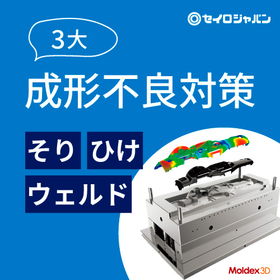
Approach to Quality Improvement Utilizing CAE Resin Flow Analysis

Explaining the quality improvement approach through resin flow analysis!

This document is created for the following individuals: ☑ Interested in improving the quality of plastic molded products ☑ Want to know the benefits of resin flow analysis 1. Introduction 2. Issues and influencing factors in plastic injection molding 3. Ideas for process improvement 4. Benefits of resin flow analysis and case studies 5. Introduction to 'Moldex3D', which allows for easy high-precision analysis

  • Thermo-fluid analysis
  • Plastic Mould
  • Resin mold
  • soft

Added to bookmarks

Bookmarks list

Bookmark has been removed

Bookmarks list

You can't add any more bookmarks

By registering as a member, you can increase the number of bookmarks you can save and organize them with labels.

Free membership registration

[Moldex3D Webinar] Introduction to Electronic Potting Analysis

Overview of the electronic potting process will also be introduced! Moldex3D online seminar held.

We will hold an online seminar titled "Introduction to Electronic Potting Analysis Using Moldex3D for Resin Flow Analysis." We plan to introduce an overview of the electronic potting process and analysis examples. The content may change depending on the situation. For details and registration, please refer to the related link. We sincerely look forward to your participation. 【Event Overview】 ■ Date and Time: December 23 (Tuesday) 11:00 AM - 11:40 AM ■ Registration Deadline: December 19 (Friday) ■ Participation Fee: Free ■ Capacity: 100 people *For more details, please download the PDF or feel free to contact us.

  • Other analyses
  • soft

Added to bookmarks

Bookmarks list

Bookmark has been removed

Bookmarks list

You can't add any more bookmarks

By registering as a member, you can increase the number of bookmarks you can save and organize them with labels.

Free membership registration

【部品加工向けCAD/CAM】GO2cam

熟練の加工技術も残す。 新人もすぐ使える。 どちらも妥協しないCAM。

複雑な加工技術も簡単な操作で再現可能。 使いやすさとテンプレート化で、 会社独自のノウハウを継承しながら効率化を進めます。 ■ものづくり系YouTuber、ものづくり太郎さんにもおススメいただいています!

  • 3D CAM
  • 2D CAM
  • soft

Added to bookmarks

Bookmarks list

Bookmark has been removed

Bookmarks list

You can't add any more bookmarks

By registering as a member, you can increase the number of bookmarks you can save and organize them with labels.

Free membership registration

Compact Color Brightness Measurement Device "ColoSuke-SA"

Enables color brightness measurement with the device alone! The display control unit is palm-sized and easy to operate.

"ColoSuke-SA" is used for measuring the chromaticity, luminance, and color temperature of various output devices. It is a color luminance measurement device that adds a compact display control unit to the display evaluation and color management measuring instrument ColoSuke, enabling measurements to be taken independently with the device. 【Examples of Applications】 ○ Automotive-related → Headlights, interior lamps → Brake lights, turn signals, instrument panels ○ Road traffic-related → Backlit display boards, LED display devices → Streetlights It can be utilized in various applications. ■ For more details, please contact us or download the catalog ■

  • Spectroscopic Analysis Equipment
  • soft

Added to bookmarks

Bookmarks list

Bookmark has been removed

Bookmarks list

You can't add any more bookmarks

By registering as a member, you can increase the number of bookmarks you can save and organize them with labels.

Free membership registration

Multivariate analysis software NIR ANALYZER

Finally on sale, "Multivariate Analysis Software NIR Analyzer"!! One user license fee: 500,000 yen (excluding tax)!!!

By using our near-infrared spectroscopy unit "NIR Meter" in conjunction, spectral data acquisition and various analyses can be performed on the same software. This eliminates the cumbersome data input associated with using spectroscopy software and multivariate analysis software together. The license pricing is set for one user, making it easier to use on multiple computers. Of course, it also supports data obtained from other companies' spectroscopic devices that you are currently using!

  • Spectroscopic Analysis Equipment
  • soft

Added to bookmarks

Bookmarks list

Bookmark has been removed

Bookmarks list

You can't add any more bookmarks

By registering as a member, you can increase the number of bookmarks you can save and organize them with labels.

Free membership registration

Color Management Software Color Mate Pro 2

Data acquisition, analysis, and management in collaboration with the measuring device Color Mate Pro 2.

Color Mate Pro 2 is a new color management software equipped with screen layout features. Users can freely arrange measurement values, various graphs, and more according to their needs, and they can also save the data of the arranged layout. Of course, data from Color Mate 5 can also be imported. This software is easier to use than before and has significantly improved analysis efficiency. For more details, please download the catalog or contact us.

  • Other information systems
  • soft

Added to bookmarks

Bookmarks list

Bookmark has been removed

Bookmarks list

You can't add any more bookmarks

By registering as a member, you can increase the number of bookmarks you can save and organize them with labels.

Free membership registration

Software "HMIWebBOX"

Easily displayable with this one unit! All-in-one kit for simple HMI/SCADA construction.

The "HMIWebBOX" is an all-in-one kit for building simple HMI/SCADA systems, based on a super compact PC kit + OS, integrating a web server, development tools, and communication drivers. Screen display is compliant with HTML5, and no plugins are required for web display. It can be viewed on web browsers that support HTML5 and run JavaScript on PCs, tablets, and mobile phones. 【Features】 ■ Integration of web server, development tools, and communication drivers ■ Screen display compliant with HTML5 ■ No plugins required ■ Viewable on web browsers for PCs, tablets, and mobile phones ■ Uses OPC server for communication drivers *For more details, please download the PDF or feel free to contact us.

  • Software (middle, driver, security, etc.)
  • server
  • ERP Package
  • soft

Added to bookmarks

Bookmarks list

Bookmark has been removed

Bookmarks list

You can't add any more bookmarks

By registering as a member, you can increase the number of bookmarks you can save and organize them with labels.

Free membership registration

Measuring the spatial frequency response (SFR) of the camera!

Generate test patterns to match the image! Supports digitally processed images! Measurement with excellent repeatability is possible.

"SFR-Fit" is software for measuring the spatial frequency response (SFR) of cameras. It employs a sinusoidal contrast method for measurement, making it less susceptible to the effects of image noise and capable of providing highly repeatable measurements even for digitally processed images such as those that have been compressed. Additionally, it analyzes distortions in images from fisheye lenses and performs distortion correction on test patterns. 【Features】 ■ Compatible with fisheye and ultra-wide-angle cameras ■ Allows free placement of test charts ■ Enables localized MTF measurements ■ Measurement area can be easily set with mouse operations ■ MTF measurements can be performed easily *For more details, please refer to the PDF document or feel free to contact us.

  • Image analysis software
  • soft

Added to bookmarks

Bookmarks list

Bookmark has been removed

Bookmarks list

You can't add any more bookmarks

By registering as a member, you can increase the number of bookmarks you can save and organize them with labels.

Free membership registration

Handwritten QR Code Content Display Software 'TDB-S04'

Just place the barcode reader on the QR code! You can display and verify the contents of the QR code on the screen!

Starting in the autumn of 2022, the movement of checks and promissory notes between banks (check exchange processing) has transitioned to image processing with QR printing, replacing the traditional MICR characters printed on the notes with QR codes. 'TDB-S04' is software that displays the contents of a QR code on a computer screen. If you want to confirm the account number for withdrawal, simply place a barcode reader over the QR code section, and the contents of the QR code will be displayed on the screen for verification. 【Features】 ■ Software that displays contents on a computer screen ■ Just place a barcode reader over the QR code section ■ You can display and verify the contents of the QR code on the screen *For more details, please refer to the related link page or feel free to contact us.

  • Software (middle, driver, security, etc.)
  • soft

Added to bookmarks

Bookmarks list

Bookmark has been removed

Bookmarks list

You can't add any more bookmarks

By registering as a member, you can increase the number of bookmarks you can save and organize them with labels.

Free membership registration

QR code content, screen display software 'TDB-Q01'

Enter the QR code to display the content on your computer screen! We provide a dedicated QR code reader and software simultaneously!

"TDB-Q01" is software that reads QR codes from invoices, screens, products, etc., and displays the contents of the setting data on a computer. The contents within the QR code are continuous without any "commas" or other separators. If the input tasks are fixed, you can specify the location of important items. You can also set separate headings for the items displayed on the screen, making it easy to understand. 【Features】 ■ Reads QR codes ■ Displays the contents of the setting data on a computer ■ Allows specification of the location of important items for clear display *For more details, please refer to the related link page or feel free to contact us.

  • Other office supplies
  • soft

Added to bookmarks

Bookmarks list

Bookmark has been removed

Bookmarks list

You can't add any more bookmarks

By registering as a member, you can increase the number of bookmarks you can save and organize them with labels.

Free membership registration

Radio-controlled clock automatic time correction system SNTP server compatible software

Correct the computer's clock in conjunction with the automatic time correction box!

This is a Microsoft Windows-compatible application that retrieves time information from an automatic time correction box and adjusts the computer's clock to Japan Standard Time. It comes standard with a logging function and is compatible with SNTP servers. The lineup includes the "JJY-SEC type," which corrects the time for a single computer, the "JJY-SEC Master type," which can correct the time for multiple computers, the new type "JJY-SEC Master-24-trAP SNMP compatible" with TRAP output function, and the "JJY-SEC-TEL," which retrieves time information from a telephone line. Please note that the SNTP server is only compatible with the Master type. For more details, please contact us or refer to the catalog.

  • Software (middle, driver, security, etc.)
  • Other operation management software
  • soft

Added to bookmarks

Bookmarks list

Bookmark has been removed

Bookmarks list

You can't add any more bookmarks

By registering as a member, you can increase the number of bookmarks you can save and organize them with labels.

Free membership registration

Custom PC software

We provide high-quality PC software tailored to our customers' needs by leveraging the PC software development technology cultivated through visualization of manufacturing sites and products for public institutions.

Design considering user interface We provide a design tailored to the functions you will use through custom design. Unlike mass-produced software, we achieve smooth operation by obtaining specification approval through prior meetings before production. Support for various input interfaces When linking with existing equipment, we can accommodate various input interfaces: - Contact signals (voltage-free / voltage) - Analog signals (current voltage) - Digital communication (serial / LAN) - CSV data reading - PLC data format reading - Specified protocols Notification / output functions We can support notifications to external sources and various output formats. You can set conditions for notifications via email or messages, notifications using the LTE communication network in non-internet environments, and regular CSV data output to specific folders. Additionally, formats can be created according to your requests, making it suitable for daily reports and more.

  • Other operation management software
  • soft

Added to bookmarks

Bookmarks list

Bookmark has been removed

Bookmarks list

You can't add any more bookmarks

By registering as a member, you can increase the number of bookmarks you can save and organize them with labels.

Free membership registration

Pressure Measurement Data Collection Software DGC9

Easy and convenient automatic data collection.

Real-time automatic collection of measurement data from the digital pressure gauge "DG900 series." A pressure measurement data collection software that is useful for data management and search.

  • Software (middle, driver, security, etc.)
  • soft

Added to bookmarks

Bookmarks list

Bookmark has been removed

Bookmarks list

You can't add any more bookmarks

By registering as a member, you can increase the number of bookmarks you can save and organize them with labels.

Free membership registration

Custom system products "Inspection equipment / Positioning equipment" *From design to software.

Custom manufacturing of positioning devices at the nano level! Comprehensive support for mechanical design, optical design, image processing, and software! We are currently offering materials that showcase numerous examples of our work.

At Wired Co., Ltd., we handle a wide range of system products and custom products. We design and manufacture optical design and inspection equipment, custom automatic (manual) stages, and vibration isolation tables, focusing on usability, cost, and delivery time tailored to our clients' needs, while paying attention to the finer details from the customer's perspective. Additionally, by clarifying the scope of what we can do at Wired Co., Ltd., we aim to improve the quality of our finished products. We proceed with production using a system that minimizes common issues associated with custom products as much as possible. 【Features】 ■ We design and manufacture with a focus on usability, cost, and delivery time tailored to our clients' needs, while paying attention to the finer details from the customer's perspective. ■ By clarifying the scope of what we can do, we aim to improve the quality of our finished products. ■ We produce using a system that minimizes common issues associated with custom products as much as possible. *For more details, please refer to the PDF document or feel free to contact us.

  • Other image-related equipment
  • soft

Added to bookmarks

Bookmarks list

Bookmark has been removed

Bookmarks list

You can't add any more bookmarks

By registering as a member, you can increase the number of bookmarks you can save and organize them with labels.

Free membership registration

Software "WINCAPS III"

Software for programming Denso robots (PAC language, PacScript) and simulation on a program.

WINCAPS III is software that provides comprehensive support for the introduction and maintenance of DENSO robots. It supports the operation of DENSO robots with a wealth of features, including robot program creation, controller data backup, and confirmation of robot posture on a 3D screen. 【Program Creation】 Programming tasks are performed from the program editing window. 【Simulation Function】 Users can execute the created program on a computer to check cycle times, robot movements, postures, and interferences. 【Operation Panel Editor】 The operation panel screen of the teaching pendant can be created on a computer. 【Arm 3D View】 The robot and surrounding devices are displayed in 3D images, allowing for simulation of operations on a computer. 【Log Function】 Error logs, operation logs, trace logs, control logs, variable logs, I/O logs, and servo short-axis data logs. 【Online Function】 Connects to the robot controller, allowing for monitoring functions and debugging tools. *For more details, please refer to the webpage or catalog, or feel free to contact us.

  • Other industrial robots
  • soft

Added to bookmarks

Bookmarks list

Bookmark has been removed

Bookmarks list

You can't add any more bookmarks

By registering as a member, you can increase the number of bookmarks you can save and organize them with labels.

Free membership registration

Software "Robot Tools"

Software that supports the maintenance and operation of Denso robots, focusing on operation and preservation.

Robot Tools is a utility toolset fully equipped with features to optimize the maintenance and operation of Denso robots. This software streamlines daily maintenance tasks and reduces running costs after the robot installation. *For more details, please refer to our website or catalog, or feel free to contact us.*

  • Other industrial robots
  • soft

Added to bookmarks

Bookmarks list

Bookmark has been removed

Bookmarks list

You can't add any more bookmarks

By registering as a member, you can increase the number of bookmarks you can save and organize them with labels.

Free membership registration

Software "RC Vision"

This is a package of robot vision application software that supports the setup of equipment utilizing Denso robots and cameras.

【EVP | Easy Vision Picking】 ■EVP is a programless image processing application specialized for "pick and place." The image processing settings are configured using an application on a computer (EVP Guidance). During runtime (EVP Runtime), it can only operate with a camera connected to the RC8. Additionally, EVP includes a calibration wizard that allows for robot position correction and calibration between the camera and the robot. Furthermore, it has a function that outputs the arrangement of parts within the field of view in the picking device operated by the robot, enabling control of part movement by equipment such as feeders. 【EIS Easy | Image Store】 ■This is software that allows images from a camera connected to the RC8 to be saved on a PC. Images captured by the built-in vision (EVP) of the RC8 are temporarily stored within the RC8 and reset when the power is turned off, but by using EIS, they can be automatically saved as image files on the PC. *For more details, please refer to our website or catalog, or feel free to contact us.

  • Other industrial robots
  • soft

Added to bookmarks

Bookmarks list

Bookmark has been removed

Bookmarks list

You can't add any more bookmarks

By registering as a member, you can increase the number of bookmarks you can save and organize them with labels.

Free membership registration

Software "EMU"

Software that enables the simulation of multiple Denso robots.

EMU (Enhanced Multi-robot simulator) is software that can simulate multiple DENSO robots. ● It allows for the utilization of projects created with WINCAPS III, enabling collaboration with peripheral devices (models) and operation verification in a mixed state of virtual and real environments. ● It supports pre-verification during the design phase and vertical startup of production systems in facilities centered around DENSO robots. *For more details, please refer to our website or catalog, or feel free to contact us.

  • Other industrial robots
  • soft

Added to bookmarks

Bookmarks list

Bookmark has been removed

Bookmarks list

You can't add any more bookmarks

By registering as a member, you can increase the number of bookmarks you can save and organize them with labels.

Free membership registration

Software "VRC"

It is an emulator that visualizes the RC8 (robot controller) itself and provides a virtual environment for RC8 on a PC.

VRC is a virtual robot module for the RC8 (Robot Controller) that provides a virtual environment for the RC8 on a computer. ● When programming in general-purpose languages (such as Visual C++, Visual BASIC, Delphi, LabVIEW, etc.), you can connect to VRC to perform Denso robot control and status monitoring in the virtual environment. ● Even in situations where the actual machine is not available, it can simulate movements equivalent to the real machine, significantly improving development efficiency. *For more details, please refer to our website or catalog, or feel free to contact us.

  • Other industrial robots
  • soft

Added to bookmarks

Bookmarks list

Bookmark has been removed

Bookmarks list

You can't add any more bookmarks

By registering as a member, you can increase the number of bookmarks you can save and organize them with labels.

Free membership registration

"QC PRO CX" Measurement Equipment Calibration Management System

Prevent collection omissions and significantly reduce calibration work time!

■ Management system for conducting calibration of measuring instruments in-house ■ Preventing collection omissions through management with ledgers and Excel ■ Registering the validity period of measuring instruments and notifying before expiration ■ Registering calibration standards and combining them with the wireless input of "Telemeasure II" for automatic determination of calibration results ■ Instantly issuing collection instructions for expired measuring instruments and detailed calibration results for each instrument

Added to bookmarks

Bookmarks list

Bookmark has been removed

Bookmarks list

You can't add any more bookmarks

By registering as a member, you can increase the number of bookmarks you can save and organize them with labels.

Free membership registration

3D Viewer Software for Mold Manufacturing: 3DTascalX Series

Quickly check necessary information for mold manufacturing such as "data conversion, undercut, processing/inspection dimensions"! To reduce the time spent waiting and rework in creating 2D drawings.

The "3DTascalX series" is a 3D CAD viewer software that allows easy access to the information needed during mold manufacturing. It supports not only CAD data from CATIA, NX, Creo, SOLIDWORKS, and Inventor, but also almost all 3D data available in the market, including intermediate data formats such as IGES, STEP, Parasolid, ACIS, and JT. There are many features available for "mold manufacturing": For design → data conversion, healing For processing → auxiliary coordinate setting, 3D sketch (material shape), high-precision measurement, 2D drawing For inspection → probe coordinate setting, actual measurement input, error determination 【Features】 ■ Suitable for mold drawing-less projects ■ Enables acquisition of necessary information on-site, simplifying 2D drawings ■ Reduces waiting and rework time with high-precision and quick checks ■ Additional functions for inspection departments ■ Can be distributed to clients with a free viewer *For more details, please refer to the materials. Feel free to contact us with any inquiries.

  • Data conversion software
  • Press Dies
  • Mold Design
  • soft

Added to bookmarks

Bookmarks list

Bookmark has been removed

Bookmarks list

You can't add any more bookmarks

By registering as a member, you can increase the number of bookmarks you can save and organize them with labels.

Free membership registration