We have compiled a list of manufacturers, distributors, product information, reference prices, and rankings for soft.
ipros is IPROS GMS IPROS One of the largest technical database sites in Japan that collects information on.

soft Product List and Ranking from 2388 Manufacturers, Suppliers and Companies | IPROS GMS

Last Updated: Aggregation Period:Jan 21, 2026~Feb 17, 2026
This ranking is based on the number of page views on our site.

soft Manufacturer, Suppliers and Company Rankings

Last Updated: Aggregation Period:Jan 21, 2026~Feb 17, 2026
This ranking is based on the number of page views on our site.

  1. システムクリエイト Osaka//Industrial Machinery
  2. スカイロジック Shizuoka//software
  3. アルゴジャパン・イーエス Nagano//Information and Communications
  4. 4 B7 Tokyo//software
  5. 5 ウェーブフロント 本社 Kanagawa//software

soft Product ranking

Last Updated: Aggregation Period:Jan 21, 2026~Feb 17, 2026
This ranking is based on the number of page views on our site.

  1. Label software for Tepra PRO 'Tepra Creator (SPC10)' キングジム
  2. End-of-Year Limited SOLIDWORKS Permanent License Purchase Benefit Campaign アルゴジャパン・イーエス
  3. [Must-See for Manufacturing Industry] Protecting Drawings and Processing Data. Instantly Neutralizing Ransomware Damage. アメイジング・テクノロジー 千代田区大手町
  4. 4 Multivariate analysis software 'Proficy CSense 2024' GEベルノバ・ソフトウェア・ジャパン
  5. 5 I tried making a 3D printed jig from the drawing! システムクリエイト

soft Product List

151~180 item / All 10601 items

Displayed results

EMI Automated Measurement Software

EMI Automated Measurement Software

This product is EMI measurement software equipped with three modes: radiated interference measurement (antenna method), conducted noise measurement (pseudo power network method), and interference power measurement (clamp method). It allows for fully automated measurements as well as the ability to record manual measurement results. Additionally, it can assess external noise, overlay multiple data sets, and display differences.

  • Testing Equipment and Devices
  • soft

Added to bookmarks

Bookmarks list

Bookmark has been removed

Bookmarks list

You can't add any more bookmarks

By registering as a member, you can increase the number of bookmarks you can save and organize them with labels.

Free membership registration

CADPAC-CREATOR Implementation Case Study "Integration with SOLIDWORKS"

From 3D collaboration to drawing management, the flow of the development line has been established, resulting in increased efficiency.

Based on CADPAC, the flow from 3D collaboration to drawing management has been established, significantly improving efficiency. The interview was conducted at the MD Center in Kazo City, Saitama Prefecture, which has the headquarters functions of Bridgestone Flowtech Co., Ltd. At the beginning of the implementation, two designers were dedicated to creating part drawings, and thanks to the construction of a parts database, the CAD introduction was successful in a short period. By using the CADPAC SOLIDWORKS interface, 3D models can be directly imported into CADPAC, allowing for the creation of product and part drawings, or part drawings created in CADPAC can be used directly as SOLIDWORKS sketches. In the development headquarters, CADPAC and SOLIDWORKS are directly linked, enhancing design efficiency. For more details, please download the catalog.

  • Other CAD related software
  • 2D CAD machine
  • 3D CAD
  • soft

Added to bookmarks

Bookmarks list

Bookmark has been removed

Bookmarks list

You can't add any more bookmarks

By registering as a member, you can increase the number of bookmarks you can save and organize them with labels.

Free membership registration

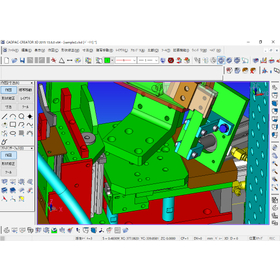
CADPAC-CREATOR Implementation Case: "Welding Fixture Design for Automotive Parts"

I intuitively thought, 'I have to use this!'

When I saw CREATOR 3D, I intuitively thought, "I have to use this!" Now, I can't design without this CAD. Intec Co., Ltd., located in Hamamatsu City, designs and manufactures welding jigs for automotive parts. "Since most of our work is custom-made, we need a tool (CAD) that allows us to freely extend, shorten, and modify things. CREATOR 3D, which is not constrained by limitations, fits perfectly," said President Nonaka. Now, we have completely transitioned from 2D design to 3D design. Young designers use CREATOR 3D freely for their designs, while veterans conduct the final checks. Design errors have almost disappeared, and delivery times have been significantly shortened. We are very satisfied with the positive feedback from our clients. For more details, please download the catalog.

  • Other CAD related software
  • 3D CAD
  • 2D CAD machine
  • soft

Added to bookmarks

Bookmarks list

Bookmark has been removed

Bookmarks list

You can't add any more bookmarks

By registering as a member, you can increase the number of bookmarks you can save and organize them with labels.

Free membership registration

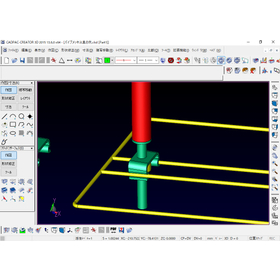
2D Assembly Drawing → 3D Conversion CADPAC 3D Function Introduction Video

We will clearly introduce the features of CADPAC 3D through video and audio.

In this video, we will transfer a 2D drawing to 3D and perform 3D modeling while utilizing it as a sketch. By leveraging past assets, we can efficiently create 3D models without any mistakes.

Added to bookmarks

Bookmarks list

Bookmark has been removed

Bookmarks list

You can't add any more bookmarks

By registering as a member, you can increase the number of bookmarks you can save and organize them with labels.

Free membership registration

2D part drawing → 3D conversion CADPAC 3D feature introduction video

We will clearly introduce the features of CADPAC 3D through video and audio.

In this video, we will transfer the part drawings created in CADPAC 2D to 3D and use them as sketches for 3D modeling. By utilizing past assets, we can efficiently create 3D models without errors.

  • 3D CAD
  • Data conversion software
  • soft

Added to bookmarks

Bookmarks list

Bookmark has been removed

Bookmarks list

You can't add any more bookmarks

By registering as a member, you can increase the number of bookmarks you can save and organize them with labels.

Free membership registration

CATIA Data Editing CADPAC 3D Feature Introduction Video

We will clearly introduce the features of CADPAC 3D through video and audio.

CADPAC 3D can import raw data from many other companies' 3D CAD systems. In this video, we will read CATIA data and model it using CADPAC 3D. In addition to CATIA, most of the 3D CAD data commonly used in the market can be input, so there is no need to purchase the same 3D CAD software as your business partners, which offers excellent cost performance.

  • 3D CAD
  • Data conversion software
  • soft

Added to bookmarks

Bookmarks list

Bookmark has been removed

Bookmarks list

You can't add any more bookmarks

By registering as a member, you can increase the number of bookmarks you can save and organize them with labels.

Free membership registration

Detailed Design CADPAC 3D Function Introduction Video

We will clearly introduce the features of CADPAC 3D through video and audio.

This is an introduction to how to model using CADPAC 3D. You can use drawings created in CADPAC 2D as sketches or efficiently model using the standard 3D machine parts provided.

  • 3D CAD
  • Data conversion software
  • soft

Added to bookmarks

Bookmarks list

Bookmark has been removed

Bookmarks list

You can't add any more bookmarks

By registering as a member, you can increase the number of bookmarks you can save and organize them with labels.

Free membership registration

Introduction video for CADPAC 2D features on purchased parts and bolt arrangement.

We will clearly introduce the features of CADPAC 2D through video and audio.

We will introduce a feature that allows you to easily select and place purchased parts from a library using mechanical options and JIS mechanical parts. The length under the head of the bolt is automatically calculated and placed. Additionally, when adding annotations to parts, it is convenient as the model number can be automatically imported and noted.

  • 2D CAD machine
  • Data conversion software
  • Other CAD
  • soft

Added to bookmarks

Bookmarks list

Bookmark has been removed

Bookmarks list

You can't add any more bookmarks

By registering as a member, you can increase the number of bookmarks you can save and organize them with labels.

Free membership registration

Creation of Parts Drawings - CADPAC 2D Function Introduction Video

We will clearly introduce the features of CADPAC 2D through video and audio.

I will introduce the procedure for creating part drawings from assembly drawings. I will also introduce the convenient drawing features and frame functions of CADPAC.

  • 2D CAD machine
  • Data conversion software
  • Other CAD
  • soft

Added to bookmarks

Bookmarks list

Bookmark has been removed

Bookmarks list

You can't add any more bookmarks

By registering as a member, you can increase the number of bookmarks you can save and organize them with labels.

Free membership registration

Belt Simulation CADPAC 2D Function Introduction Video

We will clearly introduce the features of CADPAC 2D through video and audio.

We will introduce a method to automatically calculate the accurate belt length by using the belt simulation function and specifying the tension and pulley positions.

  • 2D CAD machine
  • Other CAD
  • Data conversion software
  • soft

Added to bookmarks

Bookmarks list

Bookmark has been removed

Bookmarks list

You can't add any more bookmarks

By registering as a member, you can increase the number of bookmarks you can save and organize them with labels.

Free membership registration

Partial enlargement diagram and hole annotations CADPAC 2D feature introduction video

We will clearly introduce the features of CADPAC 2D through video and audio.

We will introduce how to easily create partial enlargement drawings using the layer function, as well as the operation of automatically counting the number of holes and adding annotations.

  • 2D CAD machine
  • Other CAD
  • Data conversion software
  • soft

Added to bookmarks

Bookmarks list

Bookmark has been removed

Bookmarks list

You can't add any more bookmarks

By registering as a member, you can increase the number of bookmarks you can save and organize them with labels.

Free membership registration

New Generation Features: CADPAC 2D Function Introduction Video

We will clearly introduce the features of CADPAC 2D through video and audio.

This is a revolutionary new feature that allows for accurate "drawing verification," "part breakdown," and "assembly" with simple operations, which were difficult to achieve with conventional 2D CAD.

  • 2D CAD machine
  • Other CAD
  • Data conversion software
  • soft

Added to bookmarks

Bookmarks list

Bookmark has been removed

Bookmarks list

You can't add any more bookmarks

By registering as a member, you can increase the number of bookmarks you can save and organize them with labels.

Free membership registration

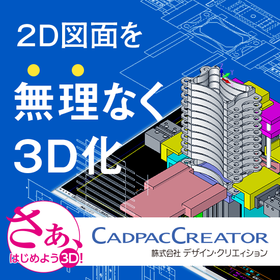
Effortless 3D conversion that takes advantage of the strengths of both 2D and 3D.

This is an invitation to an online seminar aimed at those who are using 2D CAD and are wondering what changes would occur if they incorporated 3D design.

In recent years, overseas companies have achieved remarkable growth, and as you may know, global competition has become intense. Along with this, design tools have also been evolving. While it may be possible to design without any issues in 2D, there are likely some problems associated with relying solely on 2D design, such as: 1. Difficulty in accurately and quickly conveying complex 2D conceptual drawings and component information. 2. Challenges in detecting issues like interference, leading to rework and delays in delivery. 3. Increased time spent on creating and revising drawings with each iteration of design trial and error. However, many of you may be concerned about whether the transition from 2D design to 3D design can be smooth. In this seminar, we will cover: 1. The benefits of transitioning to 3D. 2. Intuitive 3D modeling with a 2D mindset. 3. Prevention of simple mistakes that occurred in 2D. 4. Things that are difficult in 2D becoming easy in 3D. 5. Effectively utilizing both 2D and 3D to enhance design quality. We will showcase a demonstration of 3D modeling that leverages 2D drawing assets, highlighting a "seamless transition to 3D" that takes advantage of the strengths of both 2D and 3D.

  • 3D CAD
  • 2D CAD machine
  • Other CAD
  • soft

Added to bookmarks

Bookmarks list

Bookmark has been removed

Bookmarks list

You can't add any more bookmarks

By registering as a member, you can increase the number of bookmarks you can save and organize them with labels.

Free membership registration

Realizing 'effortless 3D conversion' by leveraging the strengths of each aspect of 2D and 3D CAD.

Create a 3D model from the conceptual diagram of 2DCAD. Editing and modifications can be intuitively operated with direct modeling using 'CADPAC-CREATOR'.

"Can we smoothly transition from 2D design to 3D design? What changes will occur once we incorporate 3D design?" There may be 2D CAD designers who are pondering these questions. With CADPAC-CREATOR, instead of jumping straight into 3D design, we first create the necessary 3D models using 2D conceptual drawings, and then we conduct detailed design within the 3D environment. CADPAC-CREATOR enables a "natural transition to 3D" that leverages the strengths of both 2D and 3D. ▼Benefits of Introducing CADPAC-CREATOR▼ - Intuitive 3D modeling with a 2D mindset - Prevention of simple mistakes that occurred in 2D - What is difficult in 2D becomes easy in 3D - Effective use of both 2D and 3D to improve design quality

  • iprosメルマガ2311_02.png
  • iprosメルマガ2311_03.png
  • 3D CAD
  • 2D CAD machine
  • Other CAD
  • soft

Added to bookmarks

Bookmarks list

Bookmark has been removed

Bookmarks list

You can't add any more bookmarks

By registering as a member, you can increase the number of bookmarks you can save and organize them with labels.

Free membership registration

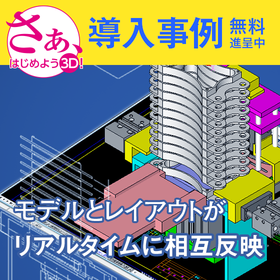
What is an efficient way to go from design to product realization using ideas and 3D CAD?

A design support tool with proven results in semiconductor inspection equipment! The model and layout reflect each other in real-time, speeding up product development!

"CADPAC 3D" is a design tool that supports the entire process from idea generation to design, prototyping, productization, and mass production. The most important aspect of productization is the two-way communication between the "designer" and the "manufacturer." It features a function called "concurrent design," which allows for designing using both models and layouts, eliminating mistakes, enabling quick corrections, and facilitating feedback to the manufacturer! 【Features】 ■ Allows direct creation and editing of 3D models in accordance with user intent, without being constrained by history or constraints. ■ Enables the use of wires, surfaces, and solids in the same space. ■ Contains both model mode and layout mode within the same file, reflecting changes in real-time. The PDF download includes case studies using this tool for semiconductor inspection equipment, tone arms, speakers, and more. *For more details, please download the PDF or contact us directly.

  • image1.png
  • image2.png
  • image3.png
  • image4.png
  • iprosimage012.png
  • 3D CAD
  • 2D CAD machine
  • Other CAD
  • soft

Added to bookmarks

Bookmarks list

Bookmark has been removed

Bookmarks list

You can't add any more bookmarks

By registering as a member, you can increase the number of bookmarks you can save and organize them with labels.

Free membership registration

Failures and successes of 3D implementation. Three candid case studies from the field available for free!

"Struggles with high-performance 3D" and "Exhausted from CATIA data modifications"... Presenting case studies from three companies that solved on-site issues! What is the design method that doesn't waste 2D assets?

Many sites face the "barrier of 3D conversion" and "data integration challenges." We are currently offering a free collection of case studies filled with specific episodes that have overcome these issues. This document includes the following three solution cases. ■ Overview of Case Studies 【Utilization of 2D Assets】 - A case study of a welding jig manufacturer that dramatically improved design efficiency by effectively utilizing past 2D drawing assets after initially failing with the introduction of a high-functionality constraint and history-type 3D CAD. 【CATIA Data Integration】 - A case study in press mold design that reduced "surface loss" and modification man-hours caused by IGES conversion when receiving CATIA data from clients, enabling direct editing of raw data. 【Reduction of Jig Creation Man-Hours】 - A case study where even those with no 3D experience or beginners intuitively created complex freeform plating jigs from provided 3D data, achieving 3D printing. Why is CADPAC chosen for its "intuitive operation" and "2D-like usability"? You will learn how to choose 3D tools that won't lead to failure. *For more details, please download the PDF or contact us directly.

  • Clipboard02.jpg
  • Clipboard05.jpg
  • Clipboard06.jpg
  • Clipboard03.jpg
  • 3D CAD
  • 2D CAD machine
  • Other CAD
  • soft

Added to bookmarks

Bookmarks list

Bookmark has been removed

Bookmarks list

You can't add any more bookmarks

By registering as a member, you can increase the number of bookmarks you can save and organize them with labels.

Free membership registration

PC motion control software "RT-Motion"

It is motion control software that operates on a PC.

This is motion controller software that operates on a PC. It enables high-speed and precise motion control. Control is possible from Windows programs (C/C++, Visual Basic, C#), INtime programs, and PLC programs (INplc ladder language). The field bus supports EtherCAT and MECHATROLINK.

  • Embedded OS
  • soft

Added to bookmarks

Bookmarks list

Bookmark has been removed

Bookmarks list

You can't add any more bookmarks

By registering as a member, you can increase the number of bookmarks you can save and organize them with labels.

Free membership registration

EtherCAT configuration software 'RSI-ECAT-Studio'

You can intuitively generate EtherCAT definition files (ENI) through GUI-based operations.

To create the configuration information file (ENI file) for EtherCAT slave devices used with our EtherCAT master software products "RSI-ECAT" and "RSW-ECAT," you will use the dedicated configurator software "RSI-ECAT-Studio." RSI-ECAT-Studio automatically detects and recognizes the connection configuration. After that, you can perform the definition adjustment work graphically. Even if you are new to EtherCAT, you can generate ENI files with an easy-to-understand operation.

  • Communications
  • soft

Added to bookmarks

Bookmarks list

Bookmark has been removed

Bookmarks list

You can't add any more bookmarks

By registering as a member, you can increase the number of bookmarks you can save and organize them with labels.

Free membership registration

DesignWorks Schematic Editor for Windows ver.5

DesignWorks Schematic Editor for Windows ver.5

The logic circuit design software "DesignWorks SchematicEditor for Windows," known for its easy operation and high performance and reliability, has been upgraded to version 5.0. Version 5 includes significant improvements such as enhanced schematic editing features and the addition of powerful macro functions using JavaScript. - Added a powerful macro function utilizing JavaScript that can be used for all design data and operations. This can automate various tasks, generate devices, and be used for all purposes including design editing, analysis, and simulation. - Added a display panel feature using HTML that works in conjunction with the new macro function. - Added a command to attribute any collection of schematic elements such as frequently used symbol groups and title blocks. - Added a feature to automatically open specified libraries upon application startup. - Added a feature to display the entire schematic as a single element within the parts library for use. - Made it easier to call external applications. - Expanded the library (parts list). - Added other commands and features.

  • Other CAD
  • others
  • soft

Added to bookmarks

Bookmarks list

Bookmark has been removed

Bookmarks list

You can't add any more bookmarks

By registering as a member, you can increase the number of bookmarks you can save and organize them with labels.

Free membership registration

NC cutting simulation software "G-Navi"

A simulator for machine operations and cutting processes born from the manufacturing site. No need for trial cutting, improving operational efficiency!

The 'G-Navi' developed and sold by our company, Aikoku Alpha Co., Ltd., is an "Integrated NC Cutting Simulation System" that combines "machine motion simulation" and "cutting process simulation" based on our experience in NC processing of aircraft parts and other components. By inputting NC data created through manual programming or various automatic processes, actual machining can be virtually reproduced. Additionally, it allows for the pre-checking of issues such as interference between the workpiece, fixtures, machine tool spindles, and attachments. 【Product Features】 ■ Eliminates the need for trial cutting, improving the operating rate of NC machine tools ■ Simultaneously verifies machine collision prevention and cutting shapes ■ Prevents damage to NC machine tools, fixtures, and tools due to NC program errors ■ Improves the accuracy of production planning with precise predictions of machining time ■ Has been adopted as a sales tool and development tool by machine tool manufacturers *For more details, please view the materials from the [PDF Download] or feel free to contact us.

  • Other CAM related software
  • soft

Added to bookmarks

Bookmarks list

Bookmark has been removed

Bookmarks list

You can't add any more bookmarks

By registering as a member, you can increase the number of bookmarks you can save and organize them with labels.

Free membership registration

ToolBox for Analysis Software for Hyperspectral Images

ToolBox for hyperspectral image analysis software by perClass

The classification of hyperspectral images (classifier) can be deployed from a research prototype to a production environment using perClass, which can be embedded into machines in just a few minutes with its unique execution runtime. It runs classification (classifier) in real-time without additional programming. This allows for quick testing of improved solutions in a production environment, significantly reducing development time. It can be deployed to C/C++, OpenCV, .Net, LabView, HALCON, Cognex Vision Pro, Matlab compiler, MS SQL Server, etc.

  • Image analysis software
  • Image Processing Software
  • soft

Added to bookmarks

Bookmarks list

Bookmark has been removed

Bookmarks list

You can't add any more bookmarks

By registering as a member, you can increase the number of bookmarks you can save and organize them with labels.

Free membership registration

IOI Corporation's SOFTWARE 2ndLook

IOI Corporation's SOFTWARE 2ndLook

SecondLook is software that prioritizes ease of use, based on the experience of IOIndustries, which has been developing software and hardware for video recording for over 20 years. The simplified user interface focuses on quickly obtaining the necessary video. The new "Record" and "Review" displays separate the two main operations, showing the appropriate controls as needed. By instantly displaying live video, it allows for easy verification of whether the system is properly configured. A bar that shows recording time and capacity at a glance provides instant assurance that long-term tests have been successfully completed.

  • Image analysis software
  • Image Processing Equipment
  • Other image-related equipment
  • soft

Added to bookmarks

Bookmarks list

Bookmark has been removed

Bookmarks list

You can't add any more bookmarks

By registering as a member, you can increase the number of bookmarks you can save and organize them with labels.

Free membership registration